
IC Orders – How to guide
- Have the IC Master File with Tabs below available.
- ACCPAC Sales Order (To import into Accpac)
- IC Stores (This is a WIP Tab)
- DC Order (Paste Customer Order here)
- DC Output (Copy from here)
Step 1
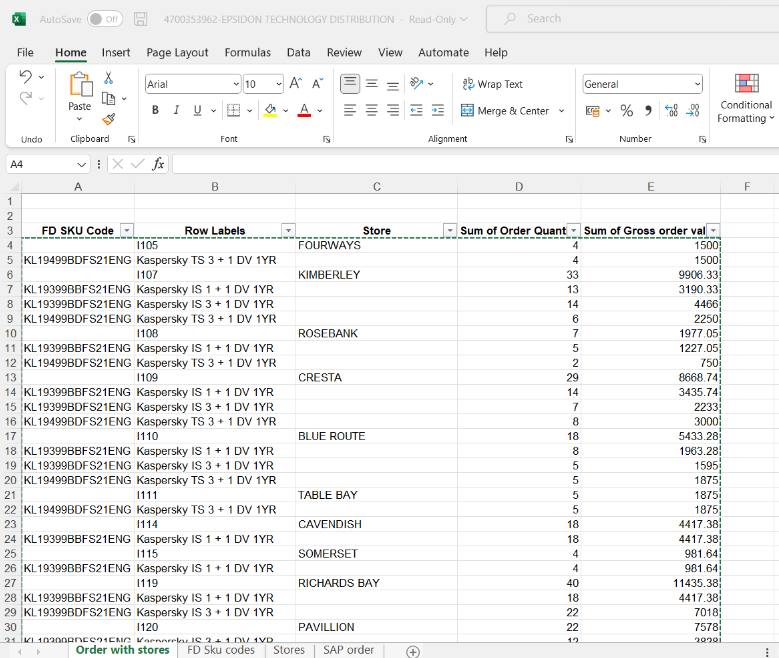
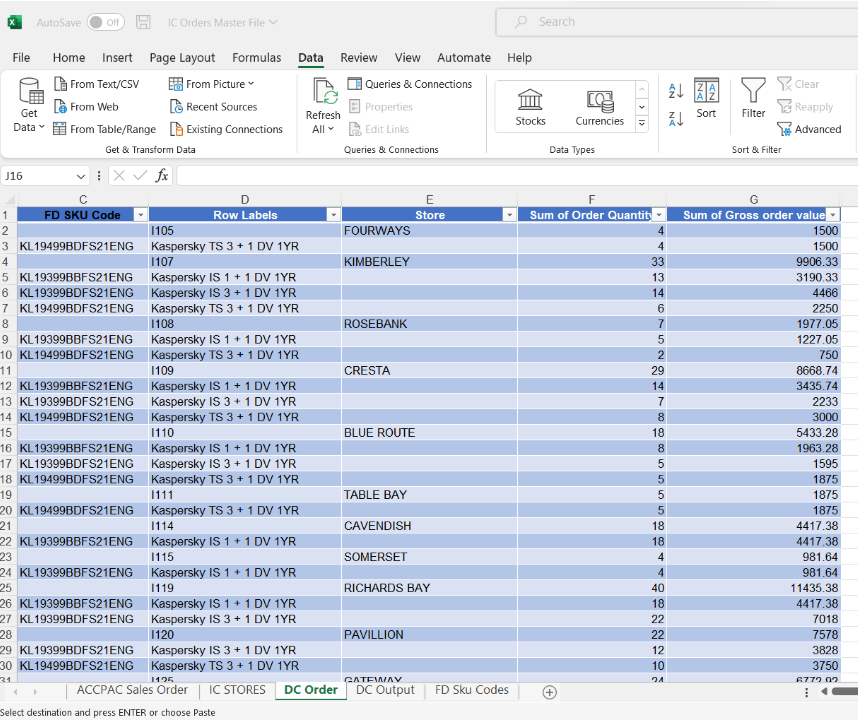
Copy the original order from the customer (Usually sent out by Kim Grobbelaar) to your DC Order TAB
From
To
Step 2
Move Store names in Column C One Cell down to align with SKUs and pricing

Step 3
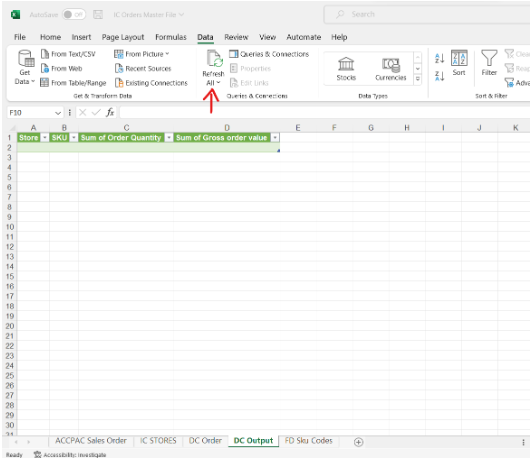
On DC Output TAB, Refresh All under Data
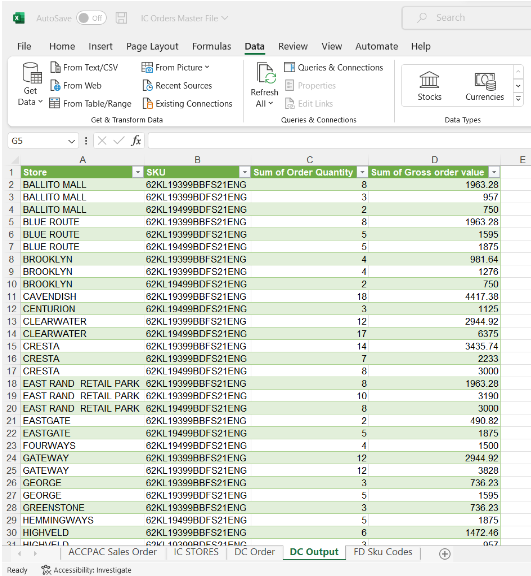
Copy Column A + B and paste on to the TAB ACCPAC Sales Order.
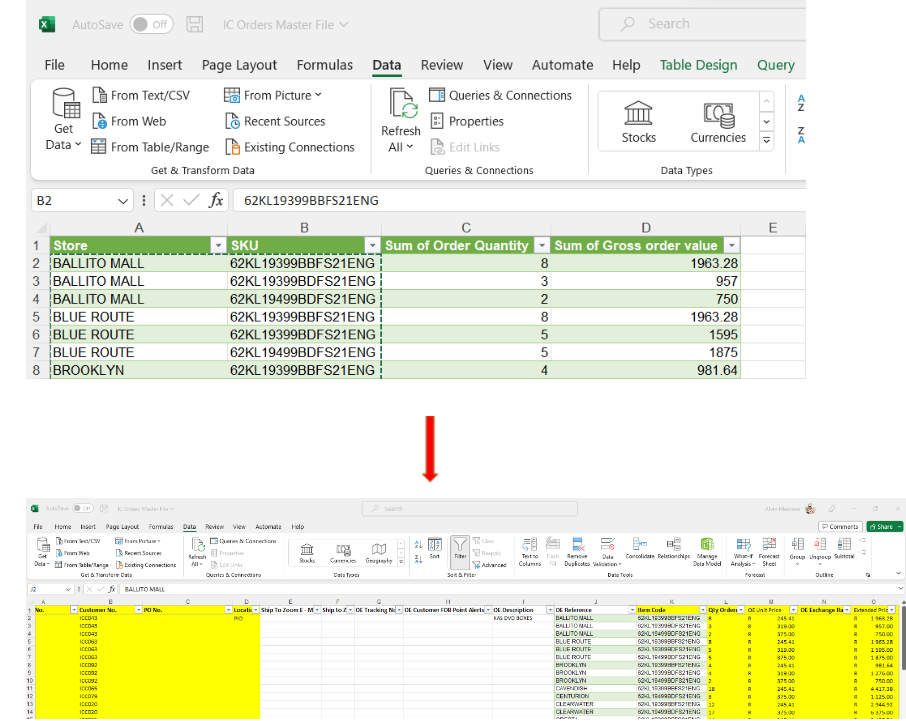
Once pasted, there are fields that will auto-populate with data from the DC Order TAB. Some will be manually captured.
Thoroughly check that all cells are filled before exporting this file to Accpac