
Huawei Renewal Quote SOP
1. Sales / Brand / Presales will send the Huawei quote in Euro.
2. They need to advise if it is NW or DC
3. Provide you with a clean quote request as per the below example
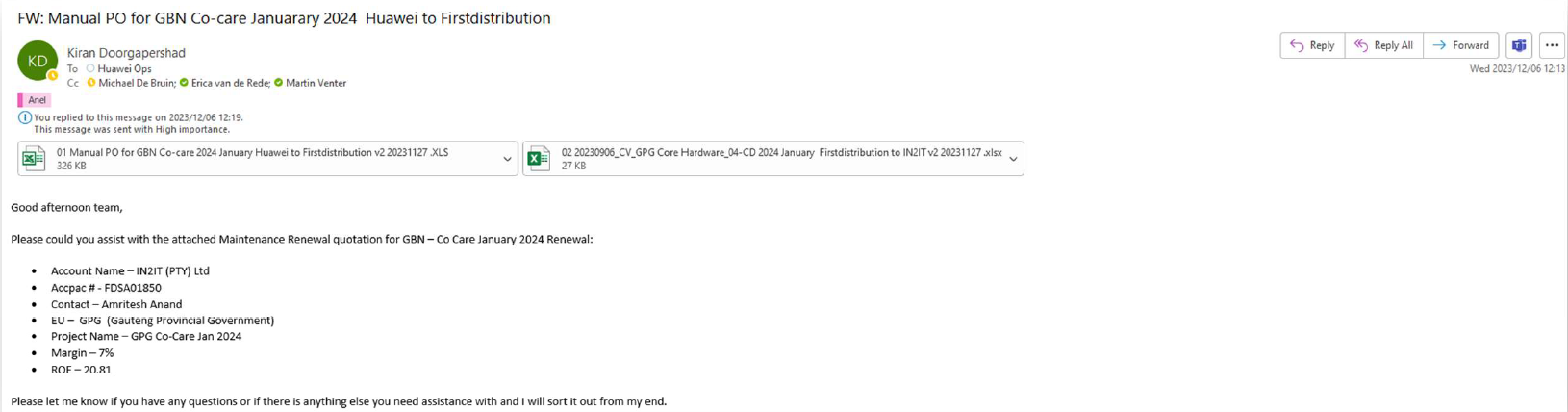
4. Manual PO for Co Care
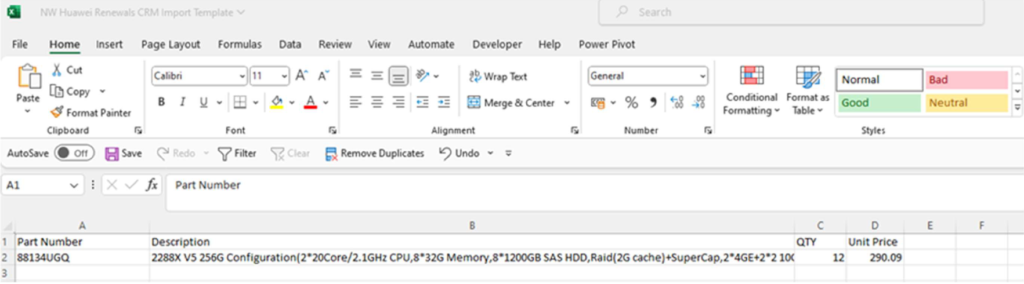
Copy first contract number and service descripon into the import sheet.
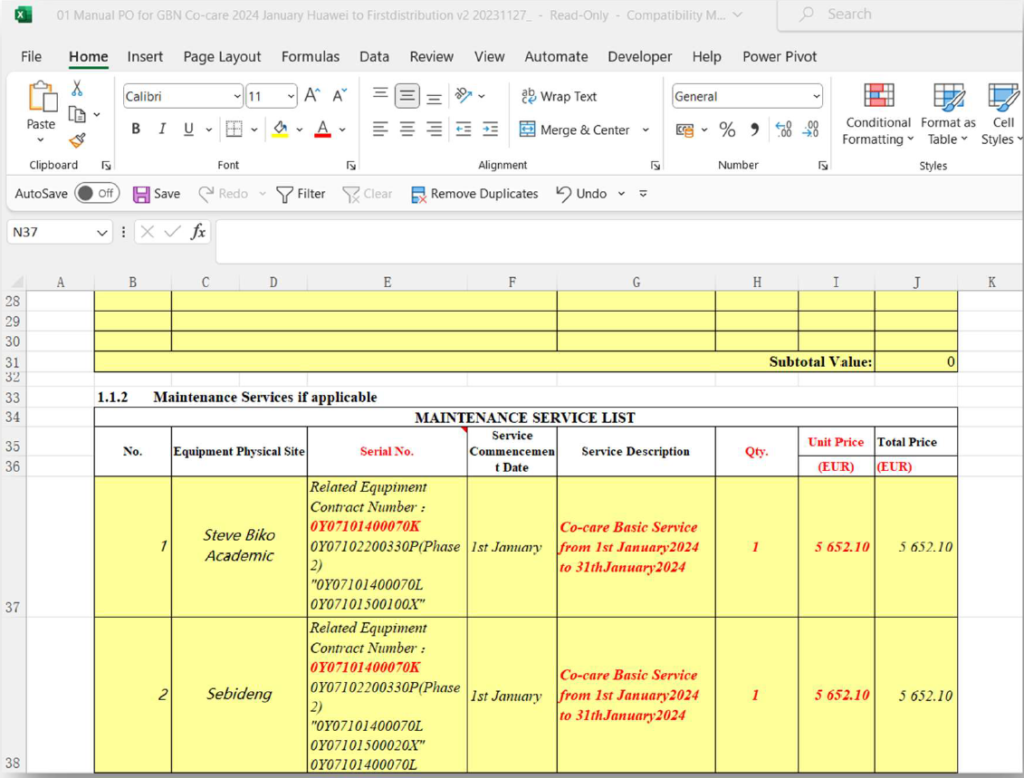
Please ensure that you choose the correct sheet for the correct Department i.e. DC or NW.
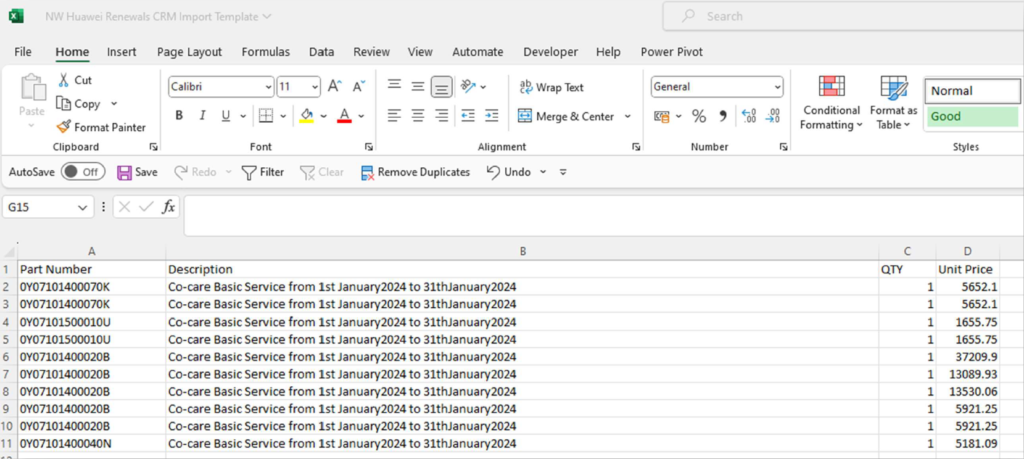
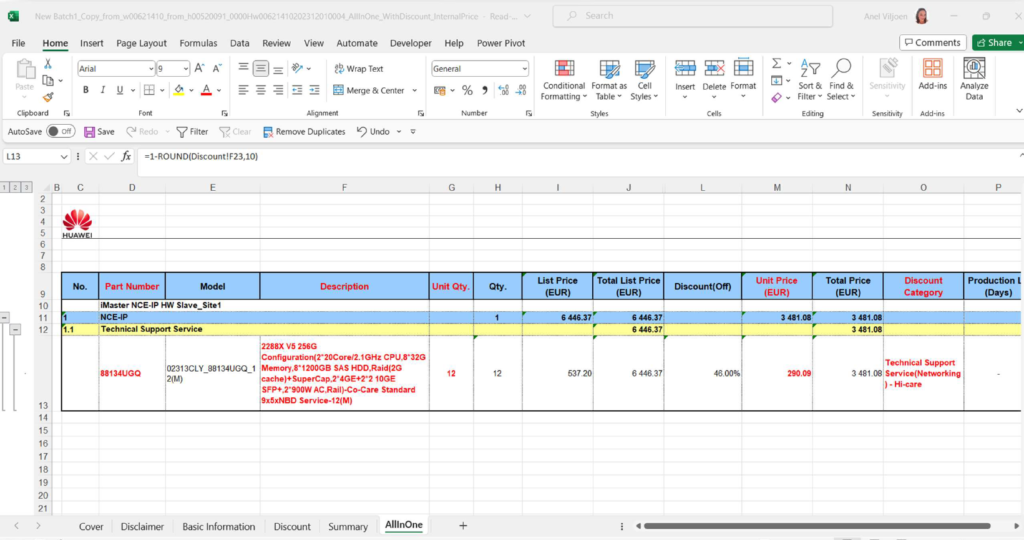
5. If a BOQ is received go to AllInOne tab copy the Part number, Descripon and Discount Category, QTY and the Unit Price (EUR) into the Import sheet
Import sheet
Create your Opportunity then your quote:
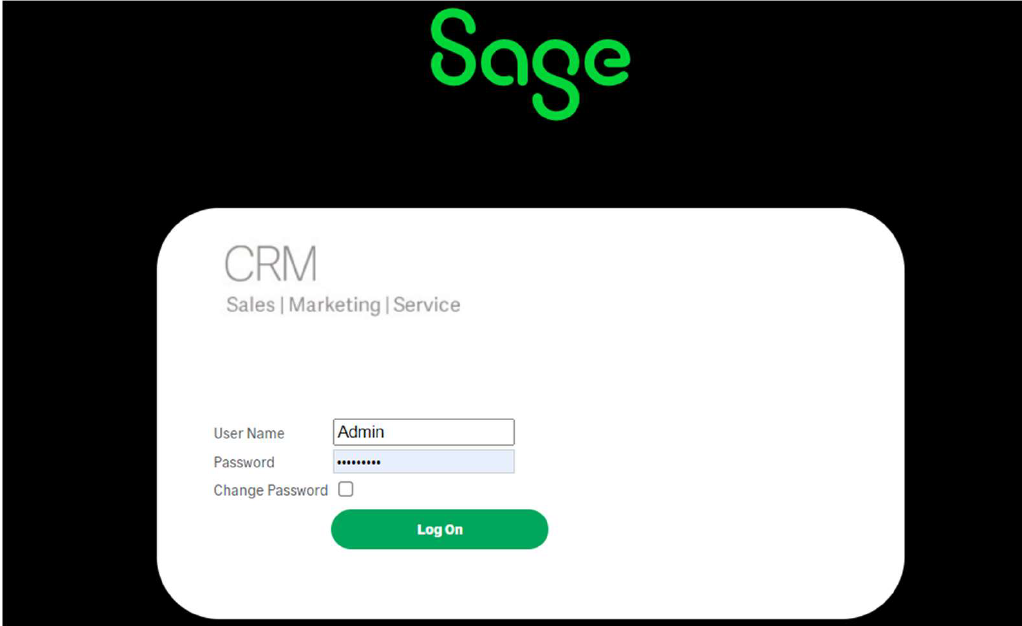
Login to CRM
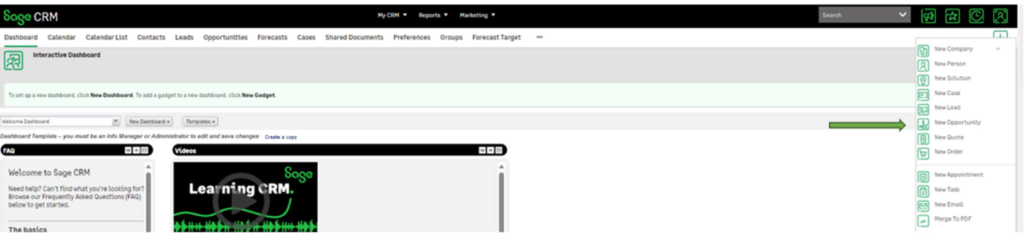
Create a new Opportunity
Click on the green plus sign in the right-hand corner and select New Opportunity

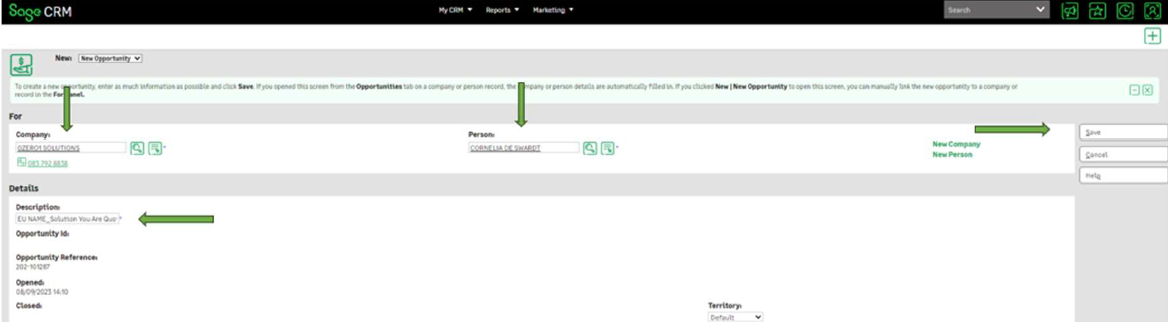
Complete Opportunity details
You can either use company name/account number or contact person to select partner. This informaon should be preloaded.
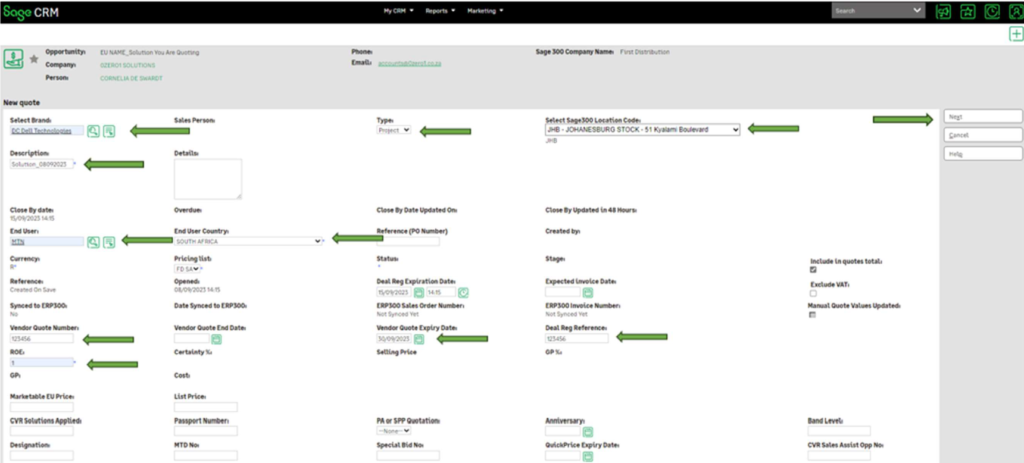
All fields with asterisk * must be completed before saving.
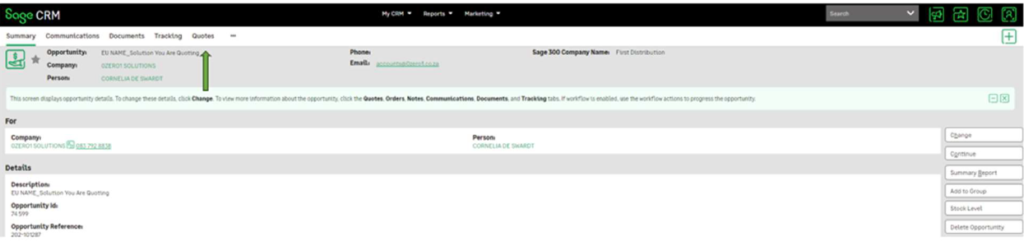
Create a new quote:
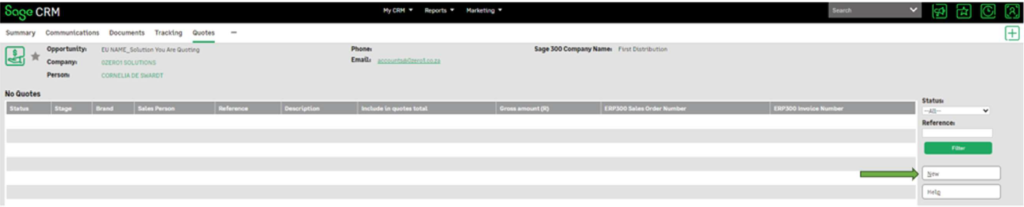
Click New on the quote.
Click on New
Click Next
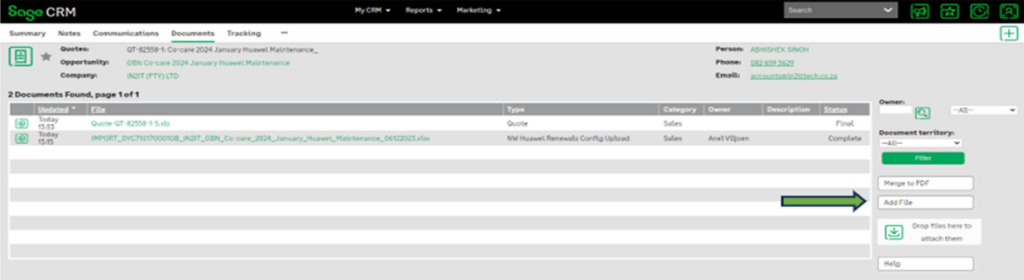
Click on add file
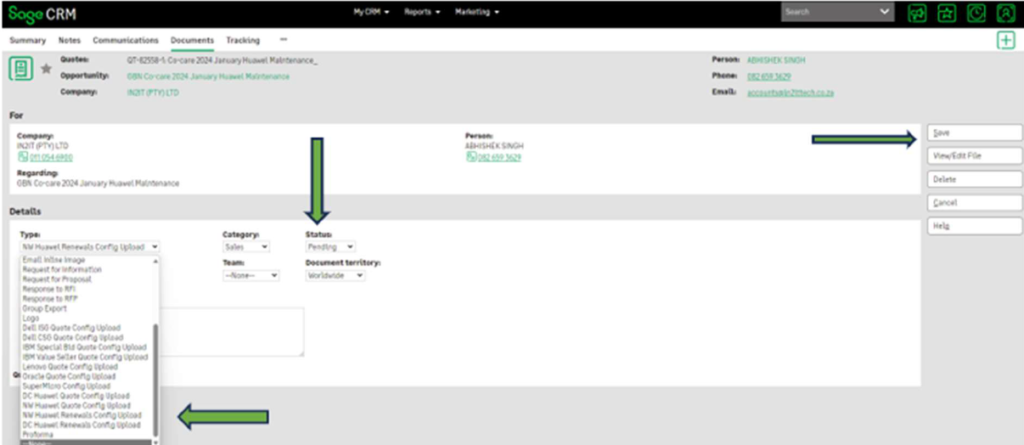
Choose the correct type of file you are importing (NW Huawei Renewals Config Upload or DC Huawei Renewal Config Upload), and change the Status to Pending Click
Save
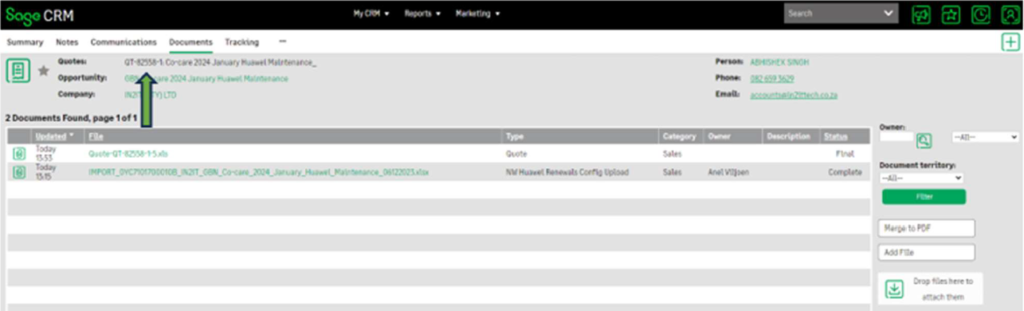
Click on QT number to go back to Summary Screen.
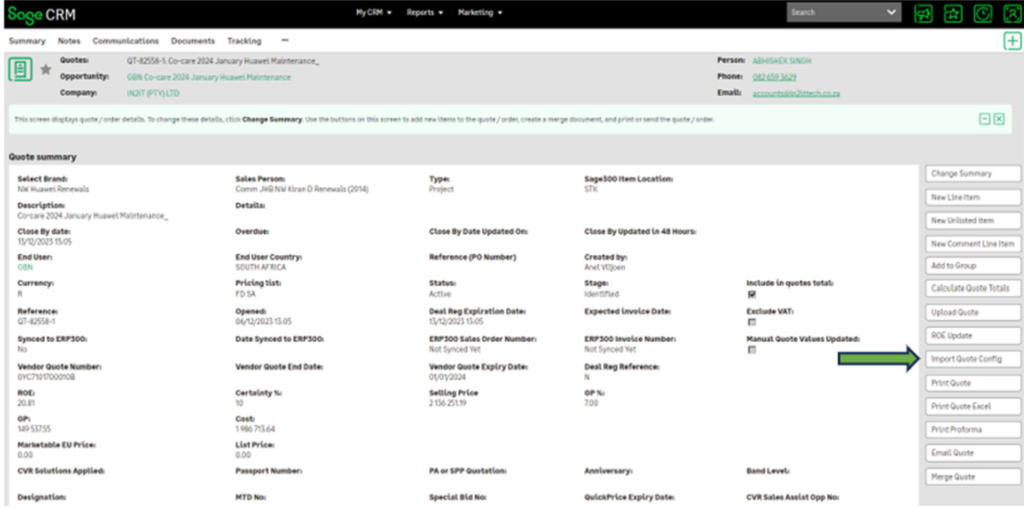
Click on Import Quote Config
Add Margin, click Save

Calculate Quote Total
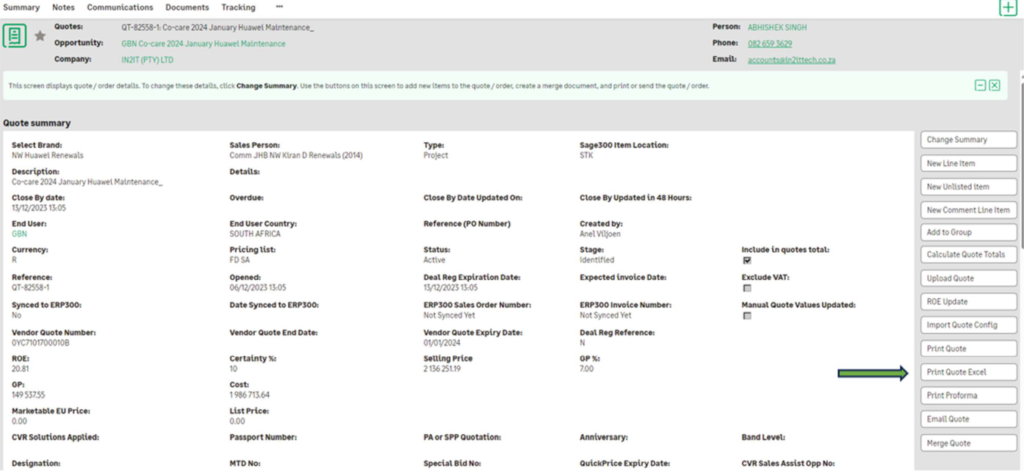
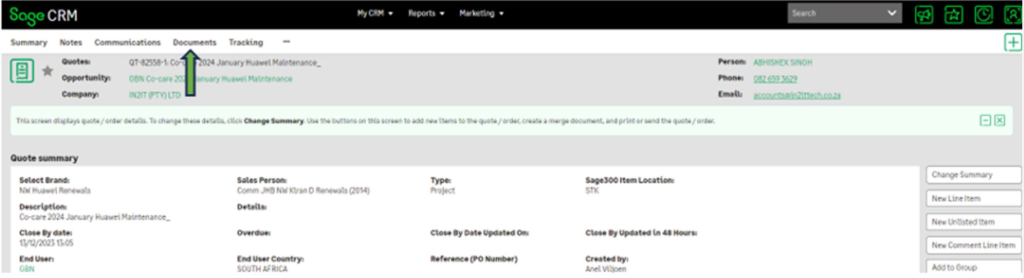
Documents can be printed from CRM and can be found under the document.
– Print quote will print in PDF Format
– Print quote Excel
Please check all quote/proforma details before sending them to BP / Sales
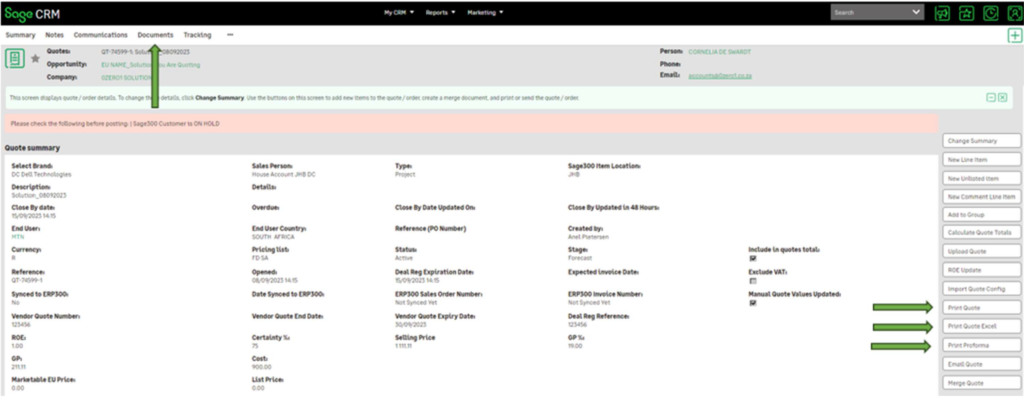
NB: Once you have completed your quote you need to ALWAYS refresh your CRM to clear any historical data, it will take you back to your dashboard.
