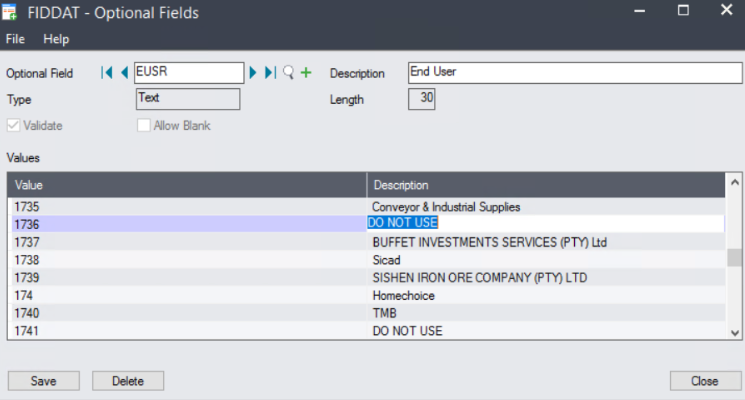
How to create an End User Pricing
-
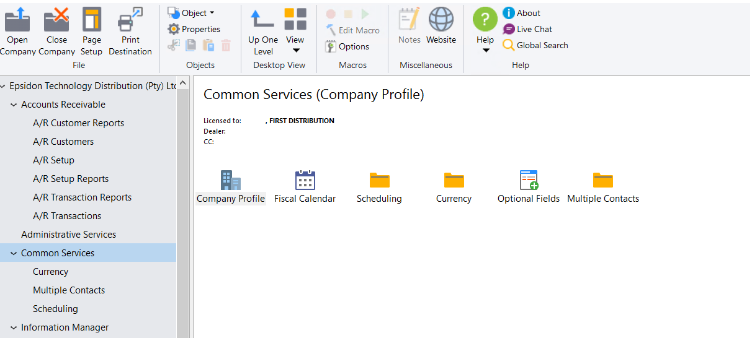
Go to Common Services
-
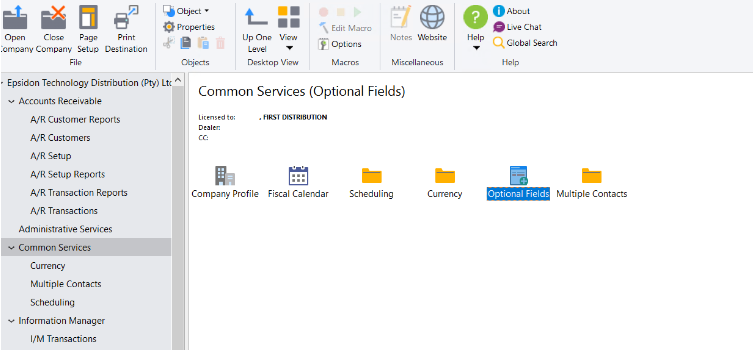
Click on Optional Fields
-
Continue to next page…..
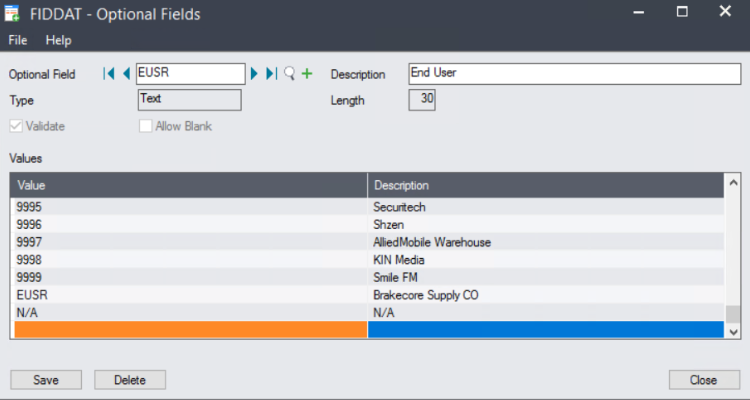
Type EUSR in the Optional Field
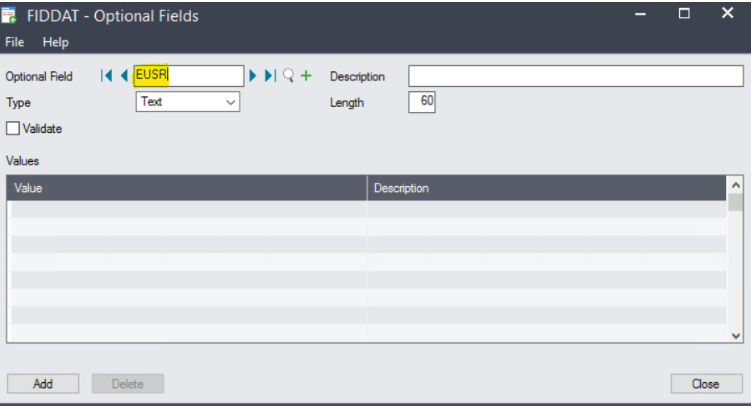
- Click Insert on keyboard
- Check the last number that has not been used in the values column and add a new number and Name of End-user
-
Continue to next page……
Or Choose a DO NOT USE and replace with new End User