The CRM Hygiene Summary combines the scores from the CRM Hygiene Reports a,b & c above to give an AVERAGE score.

To earn commission a min achievement of 77% or higher is required.
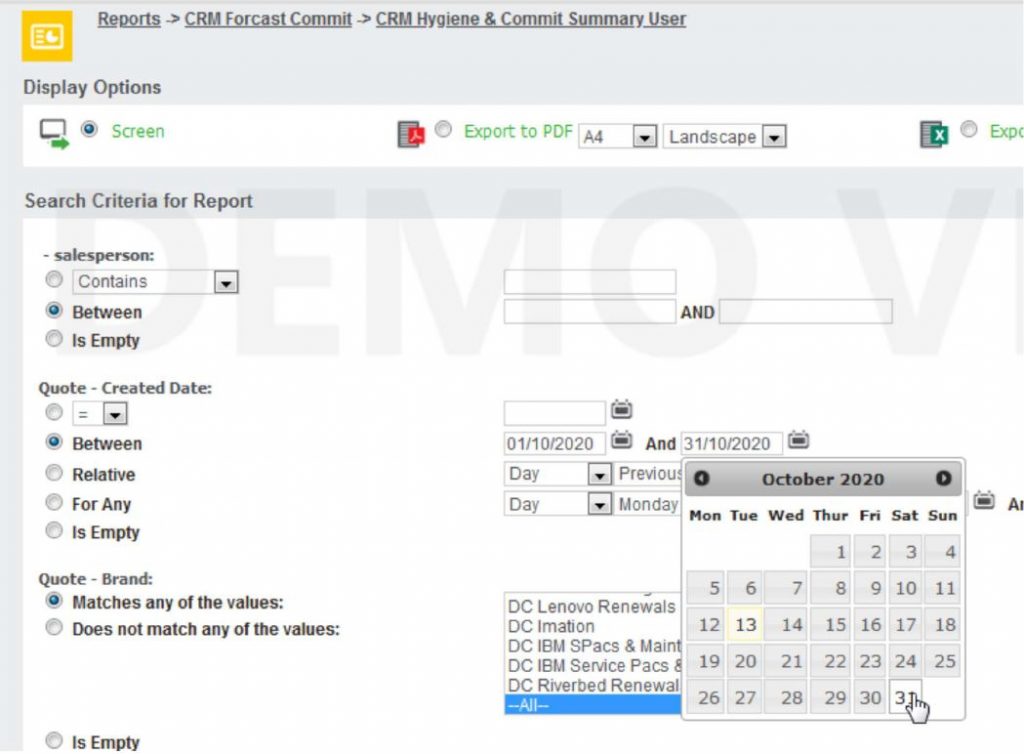
To view the average % score for a specific month click on the blue triangle, the below screen will open. Under
Quote – Create Date select the “Between” option & choose the dates from the calendar available in the date
fields. E.g below is for the month of Oct.
Then export to excel.

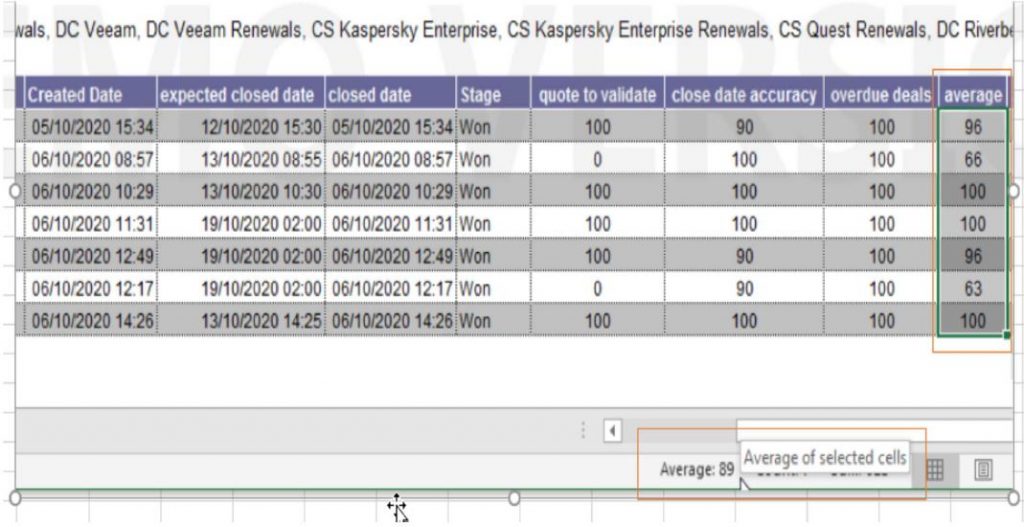
The below download from excel will open. To calculate the average score, highlight the AVERAGE column from the first
opportunity to the last. At the bottom of the screen you will see the Average Score = 89%. This is how you can work out
your average achievement for each month. Should the average score be = or higher than 77% you will achieve your CRM
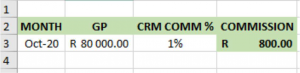
Commission % as stated in your sales plan which can be applied to your Actual GP figures for the corresponding month, in
this case ones GP figures for Oct 2020.
Eg: