
Accpac – Account look up and Credit Check
When you log in to Accpac you will see the below on your left (Click on A/R customers)
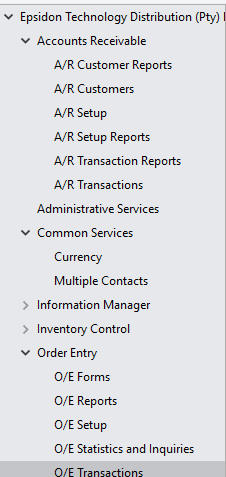
Double click on Customer inquiry

It will open the below

Once open click on the magnifying glass

It will open up a new window make sure the find by is under Customer Name and below it says contains

Under Filter type in the customer you are looking for

Select the customer and it will go back to the below window with the info of the customer

Here you will find if the customer has and Credit and if the customer is assigned to you on the relevant brand
To see the who the customer is assigned go to optional fields and on your right it will show your name if it is

To Check customer Credit go to the below and it will show you

Outstanding A/R Credit – total outstanding
Credit Limit – Overall Credit
Credit Available – Is what is available at that point

To see what is outstanding and for how long