Veritas CRM Quote process
Step 1: Create new Opportunity
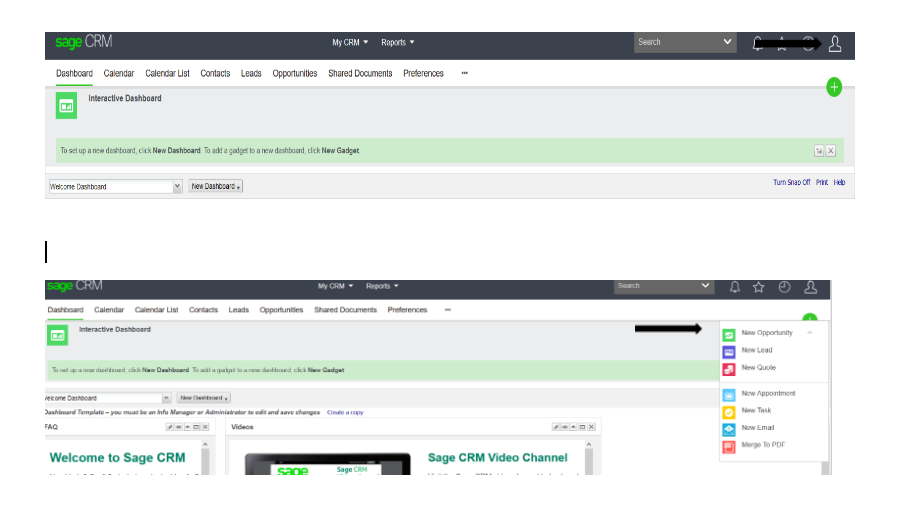
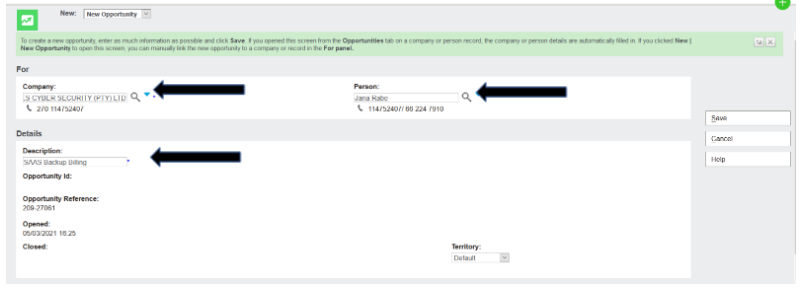
Step 2: Check if the partner is onboarded and has a contact loaded.
Add partner then contact person and Complete the description box with a short description of the opportunity. Territory stays on Default. Once save has been clicked an opportunity has been created. Ensure the territory updated correctly (should not say worldwide)
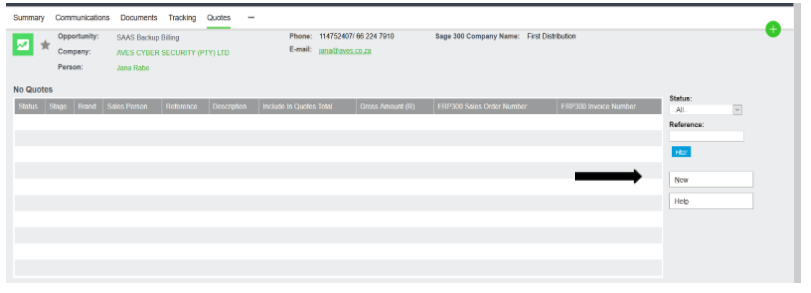
Step 4: Click on the new quote.
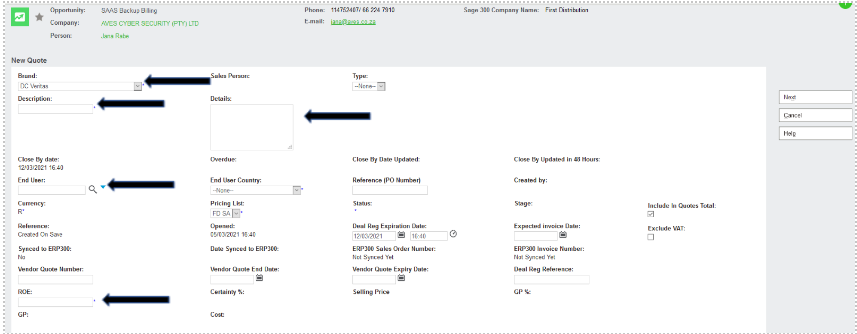
Step 5:
- Brand: as DC Veritas
- Description: what you are quoting
- End User: Search and choose correct end user (if not available leave blank, and ask Code Create to create EU)
- Details: Details of the email or Part description and quantity
- ROE: Is Exchange rate plus (0.30c)
Click Next
Step 6:
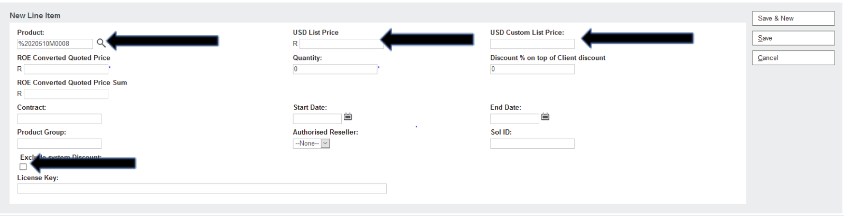
- Click New Line Item
- Search for the SKU
- Always remove (-) Before clicking Search
- Tick Exclude system discount
- Put quantity
- The List Price will come up on the USD List Price tab – remove this. Use the price on the price list, or on the Veritas quote received.
- If there is additional discounts or Quoting off the Veritas quote you will take the Discounted Veritas quote price add margin and put the amount on USD custom list price
- Click Save
Step 7:
- Click on Calculate quote totals
- Once calculated double check that it calculated correctly
- Click Manual quote

Step 8:
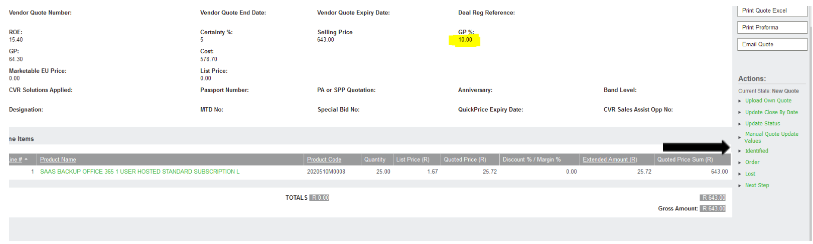
Put the cost in Rand and the GP will automatically generate the correct margin
Then click Save if the GP % is correct

Step 9:
- Click on Identified
- It is important to put on Identified or the salesperson will not see the opportunity.
Step 10:
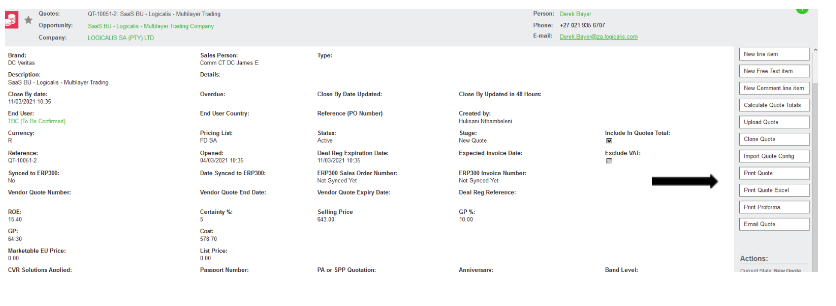
Print quote
- Can be printed in PDF (Print quote) Or Excel (Print Quote Excel)
- Save the file in the folder and send to partner/salesperson