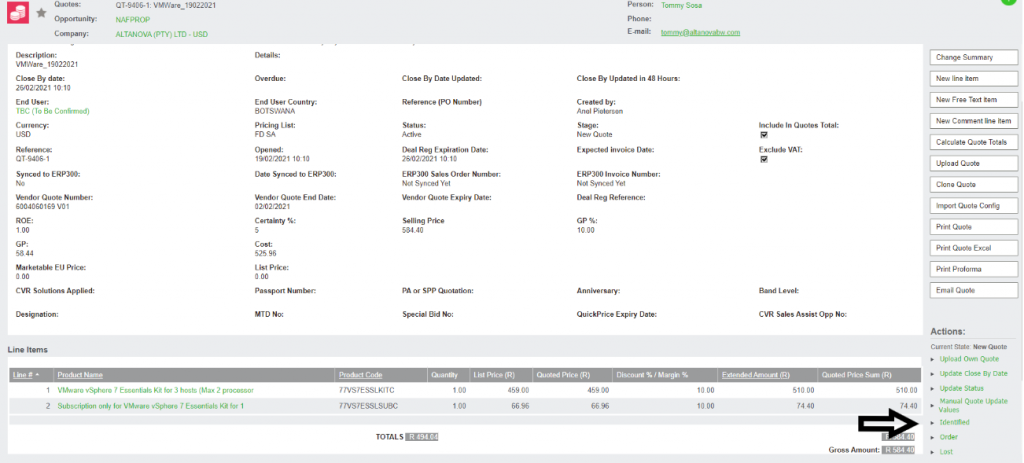
Scenario 1 No Vendor Quote
Step 4
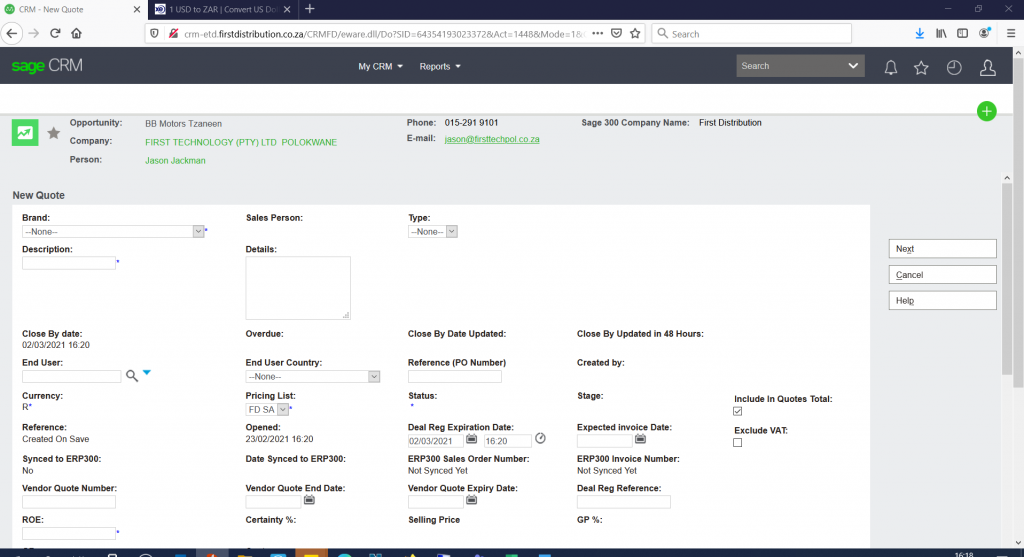
- Click on Brand
- Click on Description e.g. use End username
- Click on Type on this scenario you can choose Run rate
- Enter Details, you can copy from email request
- Enter EndUser Details e. name by using % to search. If enduser details not pulling, send request to code create department on enduser creation form to create end user
- Enter Enduser country
- Enter ROE if in Rands and if in Dollars put 1
- Then click Next it will take you to next page
Step 5
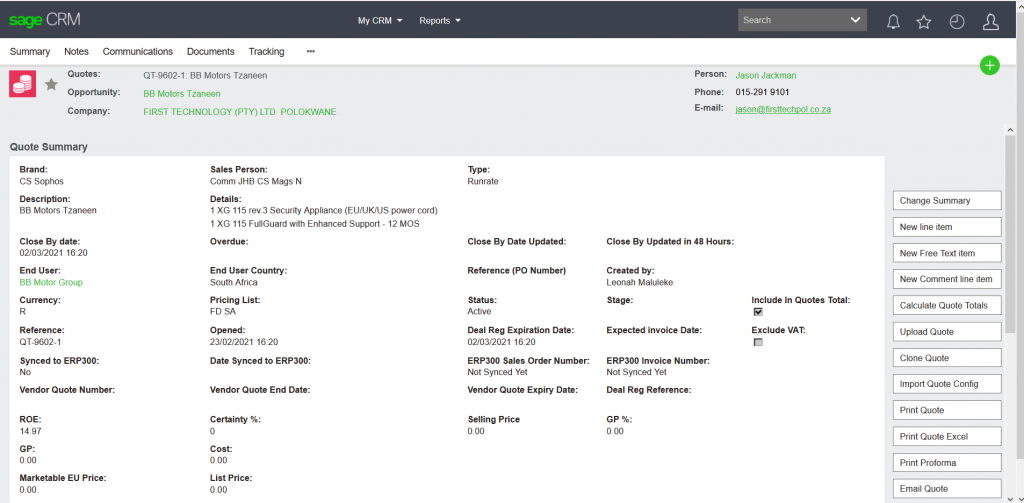
- Click on New line Item
- It will take you to new page
Step 6
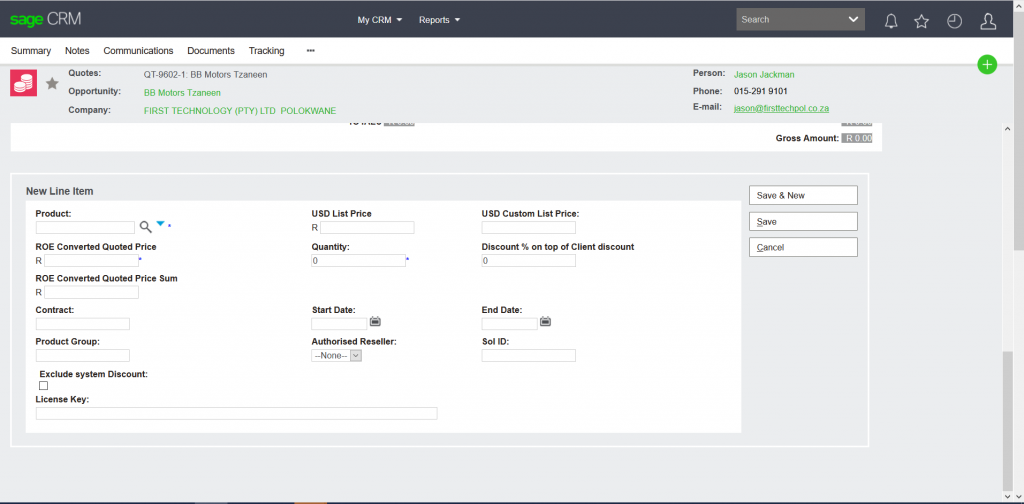
- Click on product by using % to search for product sku it will pull on USD List price and also pull ROE Combined Quoted Price
- Insert Quantity it will pull ROE Combined Quoted Price Sum
- Tick Exclude System Discount box
- Put on your partner’s discount % on top of Client Discount
- Save it will take you to the next page
Step 7
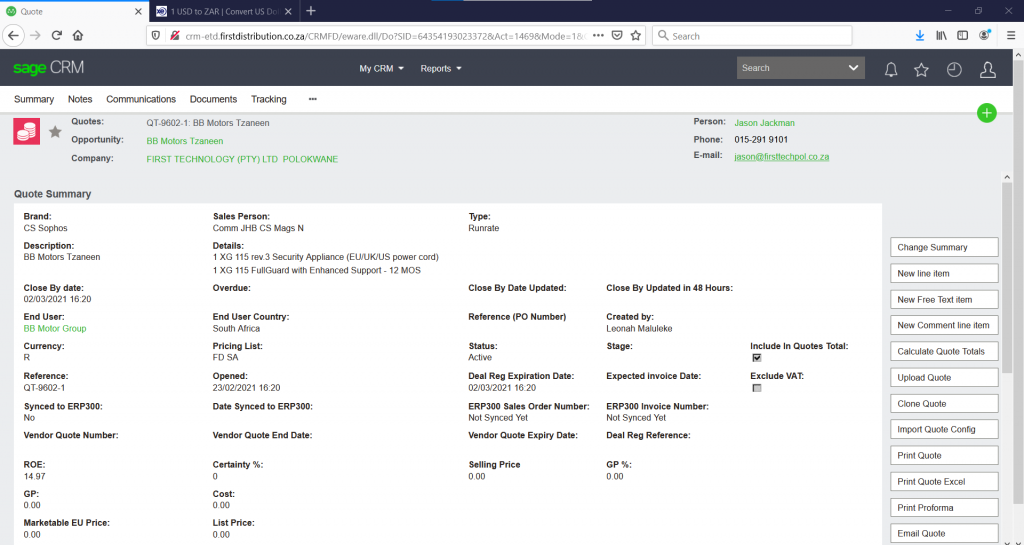
- Click on Calculate Quote Totals
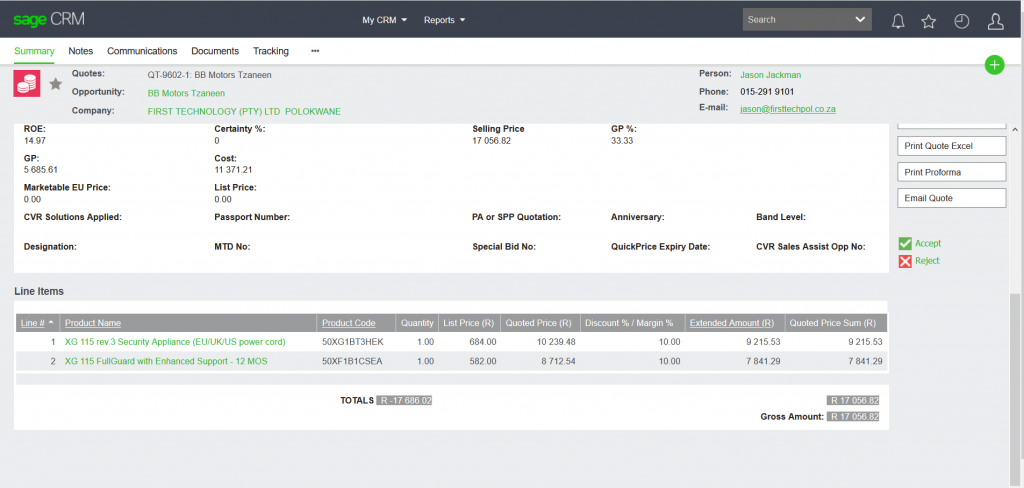
- It will take you to next page where it will show all calculations and correct discounts applied
- Click on Accept when you are sure that these are the correct calculations
- It will take you to the next page
Step 8
- If system does not calculate cost correctly, we must manually calculate it
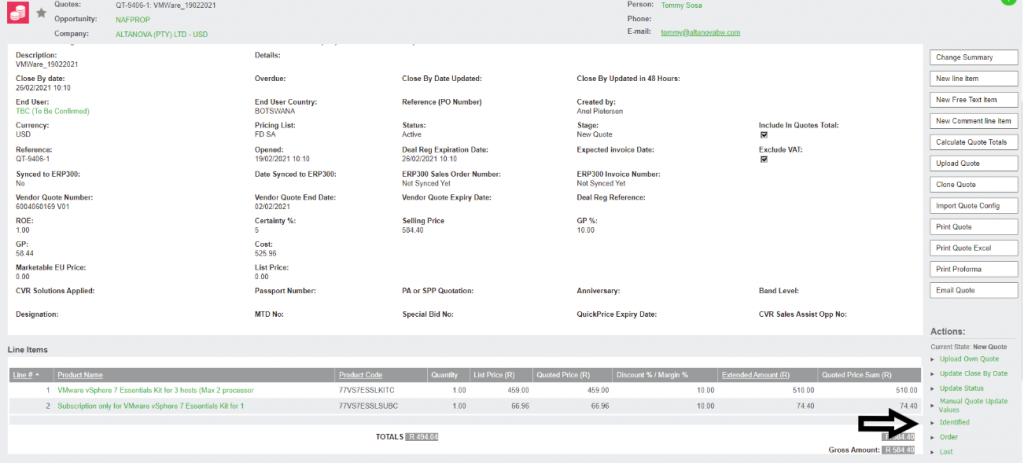
- Click on Manual Quote Update Value
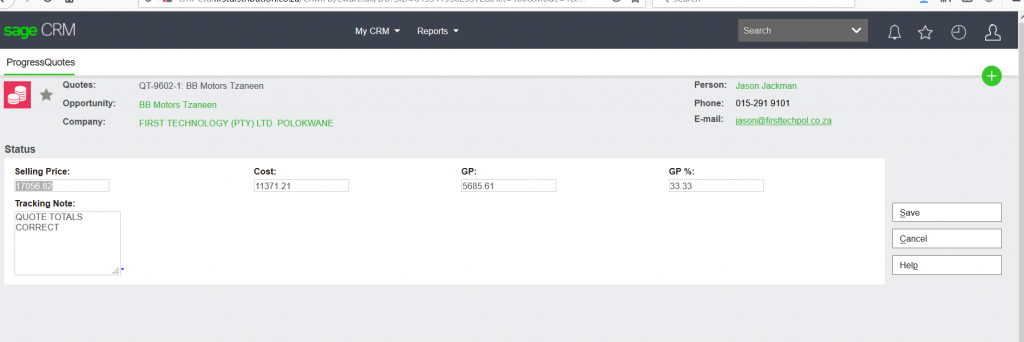
- It will take you to the next page where you manually calculate cost e.g. take selling price minus distributor margin it will give you your calculated cost which you will delete cost which the system calculate and put the calculated cost you did manually, it will then give you the correct GP and GP %
- Save it will take you back to the same page
Step 9
- Click on identified
- It will take you to a page where you need to put on tracking notes.eg Quote sent to partner or Sales Specialist
- From identified the sales specialist need to move opportunity from validated.
- Sales support Specialist will continue when an order needs to be placed