Lenovo CRM Processes
- Create new opportunity.
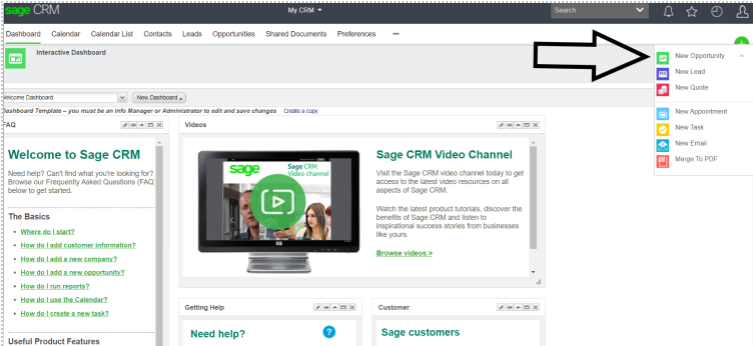
On the far right, there is a green + sign, click on it and select New Opportunity.
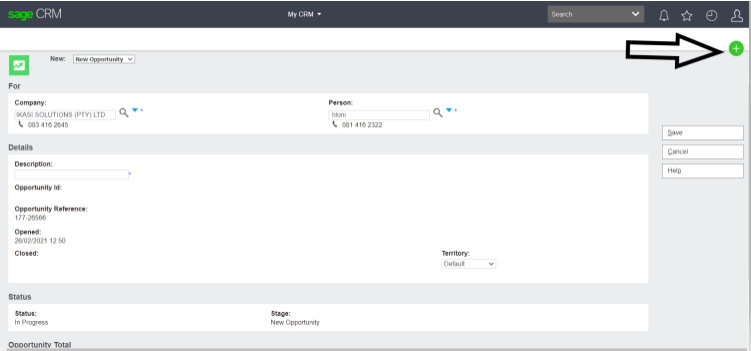
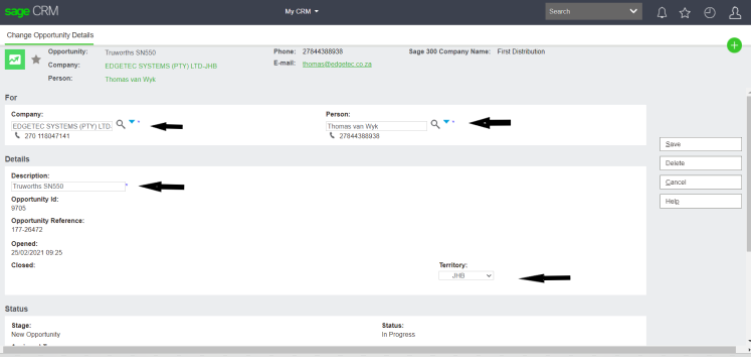
2. On the next page, fill in the company name, contact person and the description of the opportunity and save. Ensure that the opportunity is in the correct territory (e.g. JHB, DBN), after saving ensure that it is not on ‘’worldwide’’
3. Click quotes and select “new”.
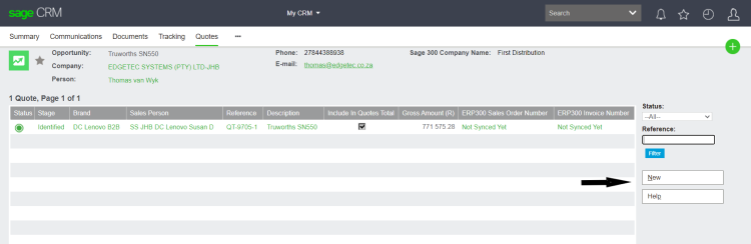
3. On the next page, you need to fill in as much information as possible i.e. brand name in relation to the opportunity you are quoting (e.g. Lenovo B2B, Lenovo renewals, Lenovo run rate etc.).
- Opportunity description
- End user
- End user country
- Vendor Quote number
- ROE (should be 1 if doing a dollar quote)
- Vendor Quote End Date
- Reference / PO number is already ordered.
- Project / Tender / Run rate
- Deal reg number and expiry date
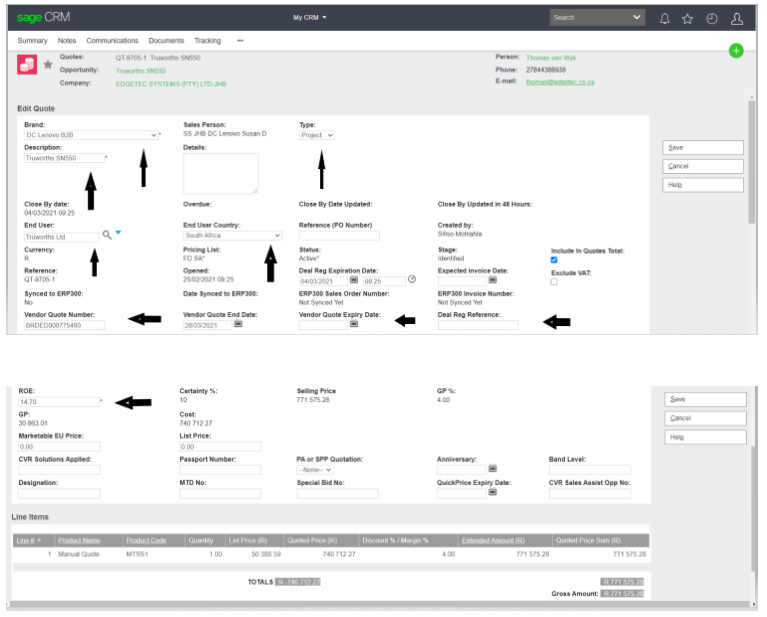
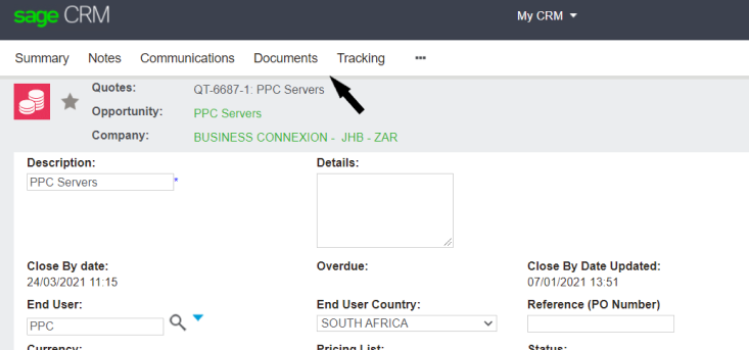
4. Upon completion of the above, click save on the right hand side . then documents and add your bid file downloaded from the Lenovo portal.
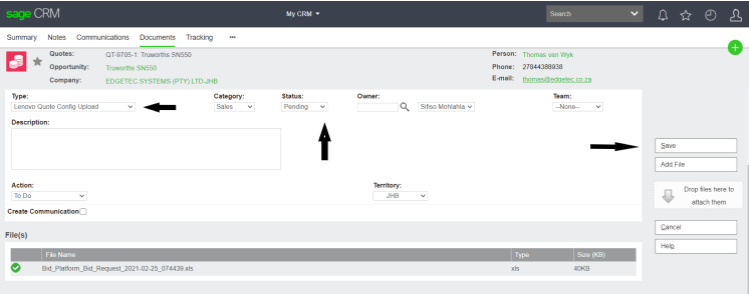
6. Click on documents to upload your Bid file .

7. on the drop down select Lenovo Quote config upload. under “status” you should choose pending, save this and go to summary.
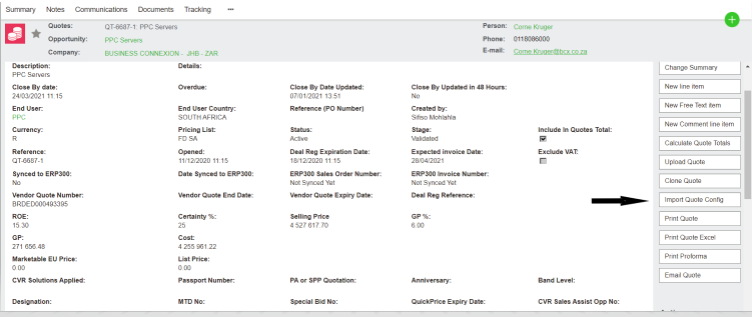
- click ‘’ import Quote Config ‘’
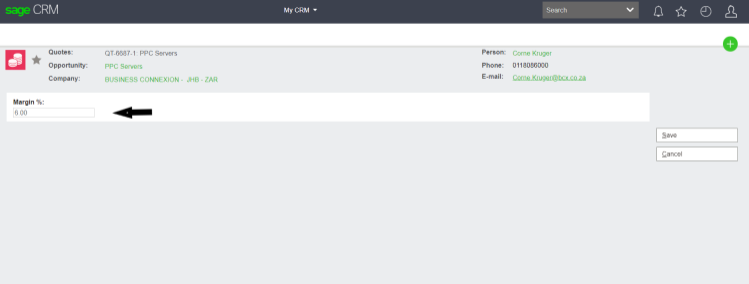
9. on the next page, add margin and save .
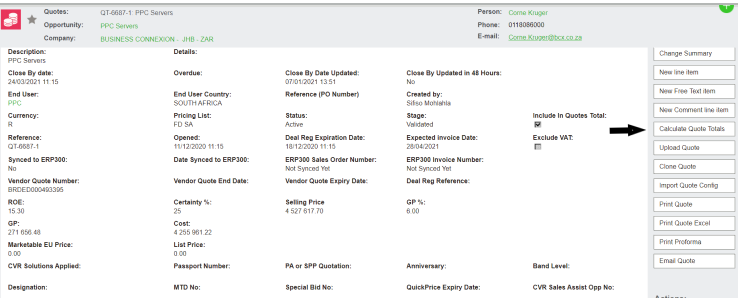
10. At this stage you will see your config and values imported, click calculate quote totals.
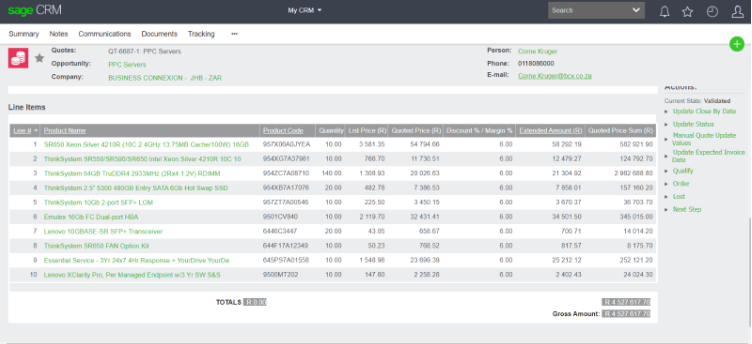
11. Double check if all the part numbers and calculated values are correct.
12. If all is well, click ‘’ accept’’
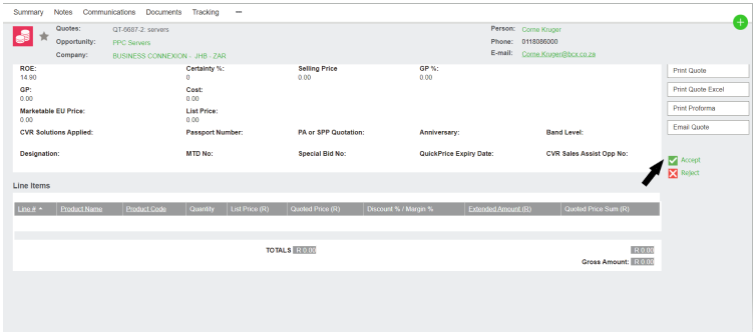
13. Add comments on the next page for salespeople to take note
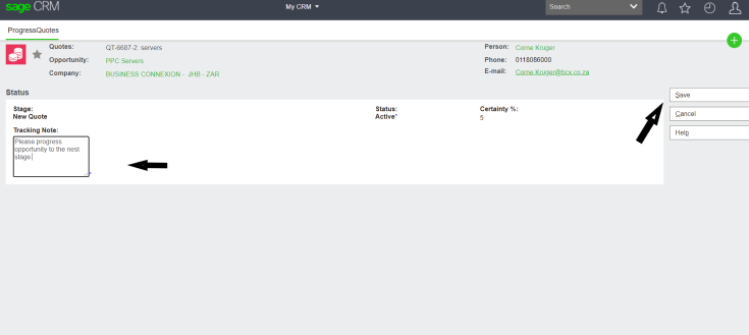
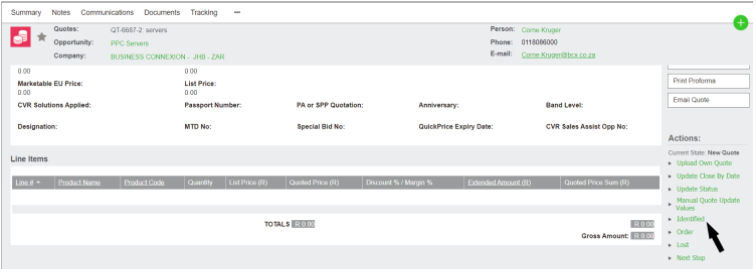
14. Click identified to take the opportunity to the identified stage.
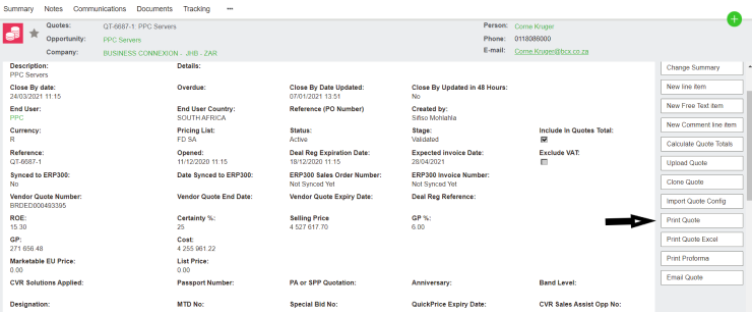
15. Print the quote by clicking on the print quote Tab.
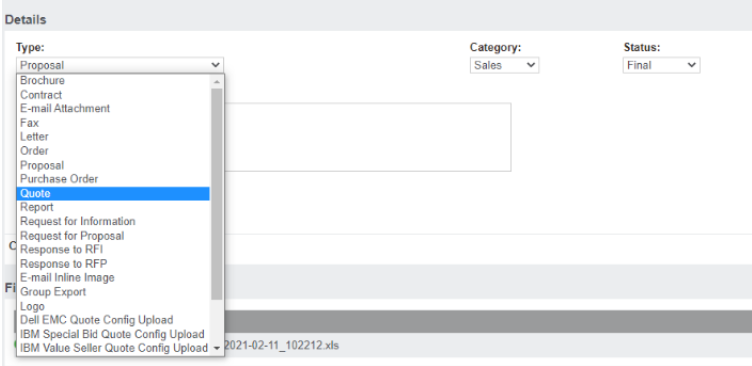
16. If you are doing a manual quote, on the drop-down you will select Quote instead, under “Status” you choose “Final” under status and save your quote then go to Summary.
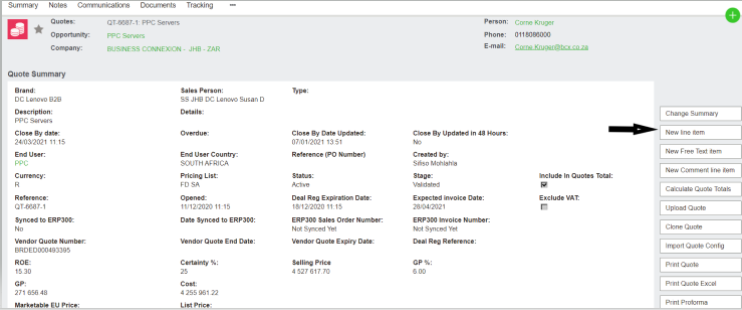
17. Click ‘’new line item’’ to add your values .
18. Search manual quote on the search bar and add your custom list price, quantity and margin. Check on ‘’exclude system margin ‘’
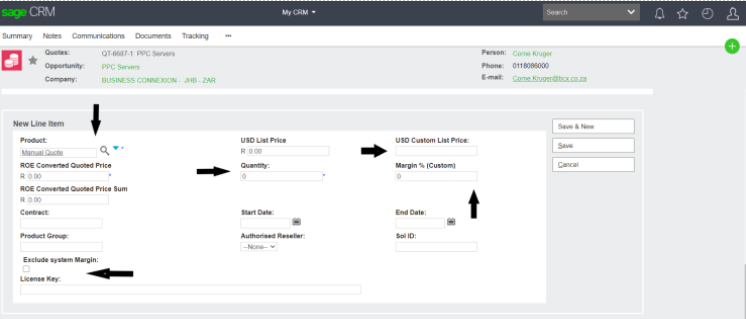
19. Save and calculate quote totals, then double-check if the figures are correct