
CRM EXAGRID PROCESSES
STEP 1: – How to create a new Opportunity.
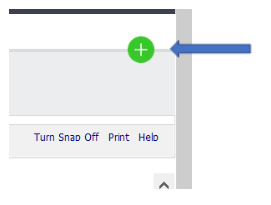
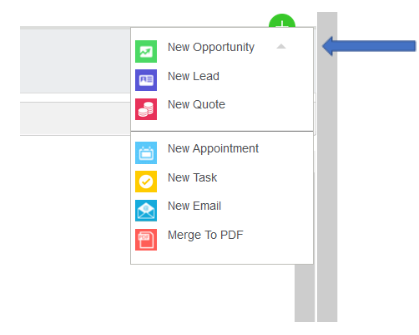
On the Dashboard front page click on the “Plus Sign” circled in Green – a list of Tasks will appear.
Select New Opportunity
STEP 2: Enter in all Details.
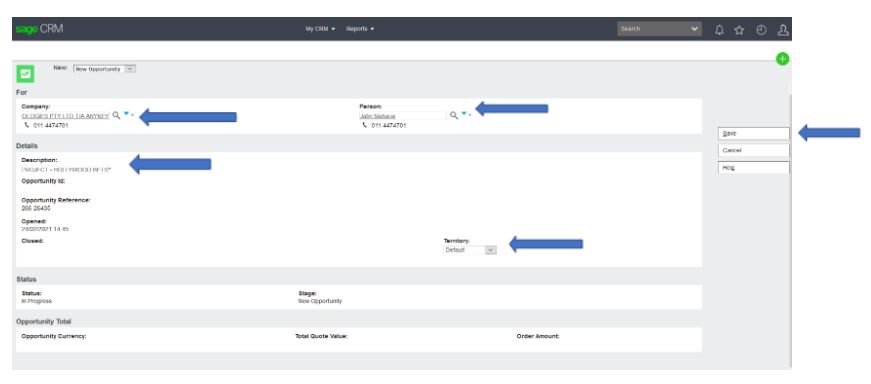
The following page will open, search for the customer from the drop-down arrow – with the correct Accpac account number.
Select the customer and Contact name.
Add in a Description for (example) a project name – Territory should remain as default – only to be changed if it appears as “worldwide”.
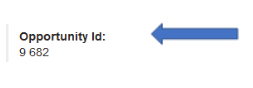
Select Save Button – the opportunity has been created, which can be identified with an OPP ID
STEP 3: BEGIN THE QUOTING PROCESS
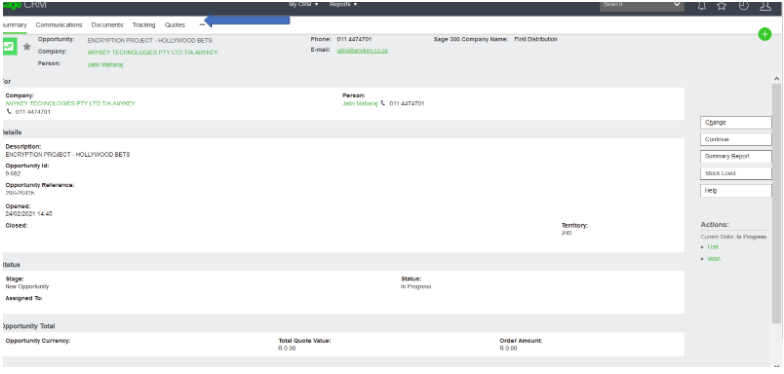
Details are created, select Quote on the top to Create a Quote.
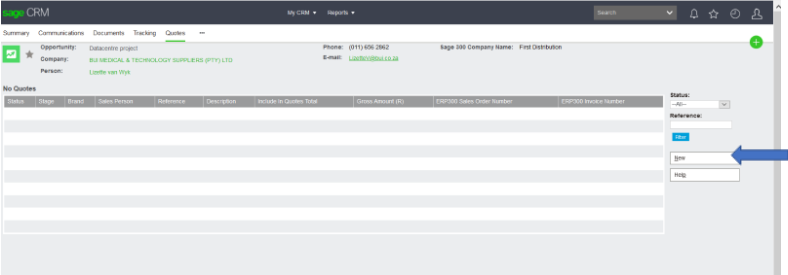
The following page will appear, select new.
The Following Fields should be completed.
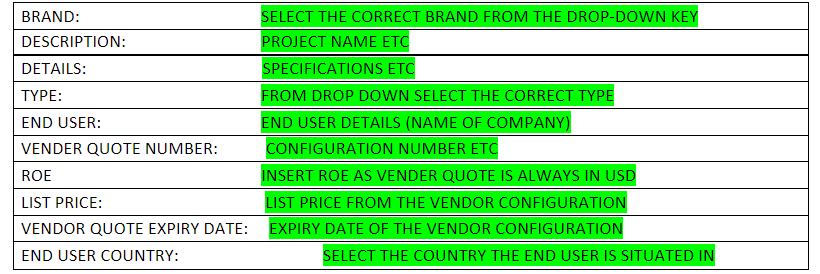
The Arrow will indicate the Various Fields – Select Next
The quoting process can now begin.
The allocation of the correct salesperson needs to be checked.
(if incorrect Salesperson needs to have allocated correctly)
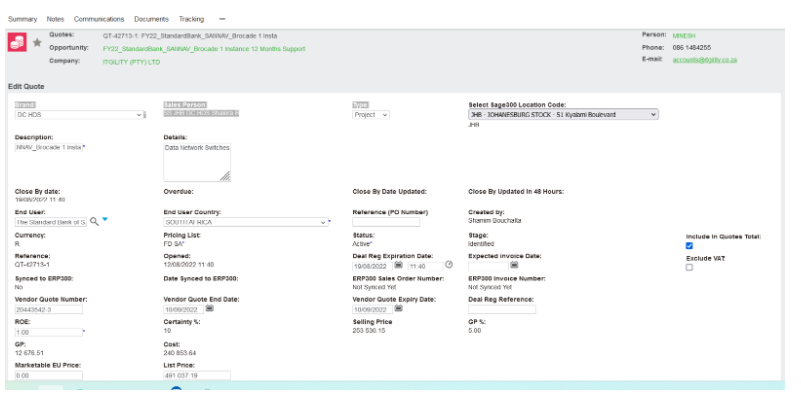
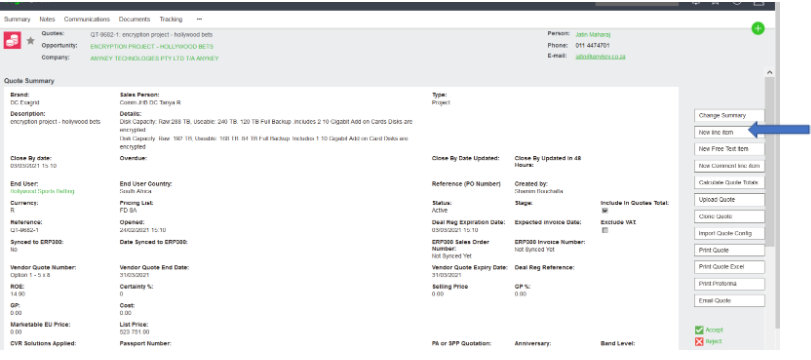
Select New line Item.
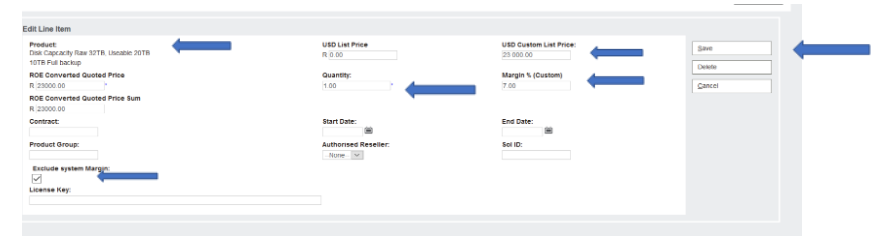
The following Page will open.
Search SKU with % (Percentage sign)
Tick off (Exclude System Margin)
Insert Buy price under USD CUSTOM LIST PRICE
ADD IN Quantity
Add in Margin.
Save or Save & New to create another line item.
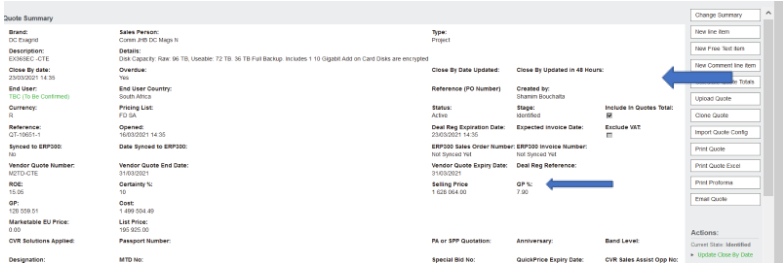
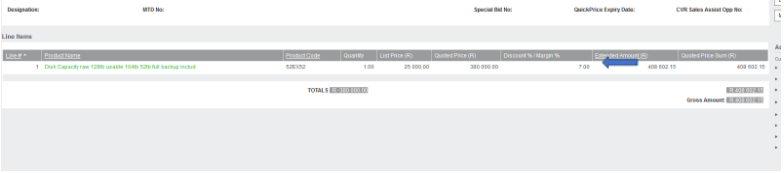
Calculate quote Totals (to ensure that margin reflects)
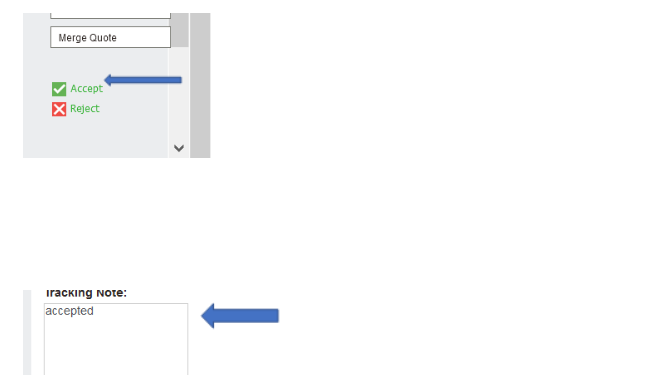
Select Accept and add in a Tracking Note.
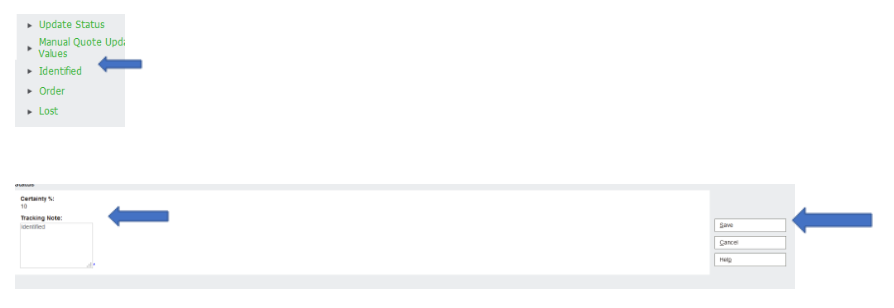
Click on Identify. Enter in Identified in Tracking Note and click on Save.
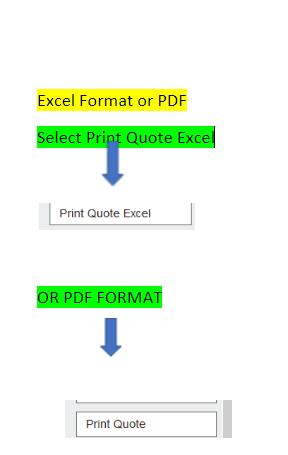
STEP 4: PRINTING QUOTE PROCESS
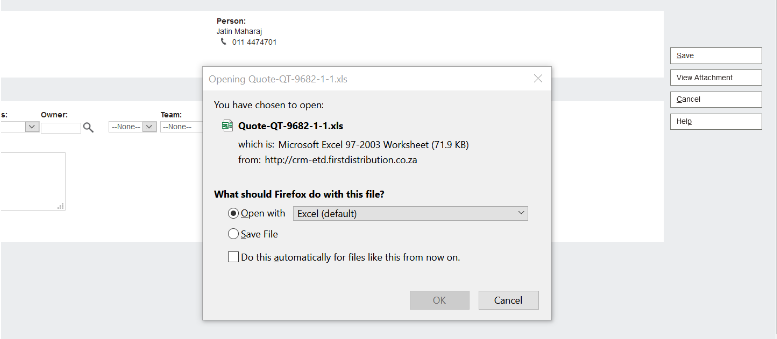
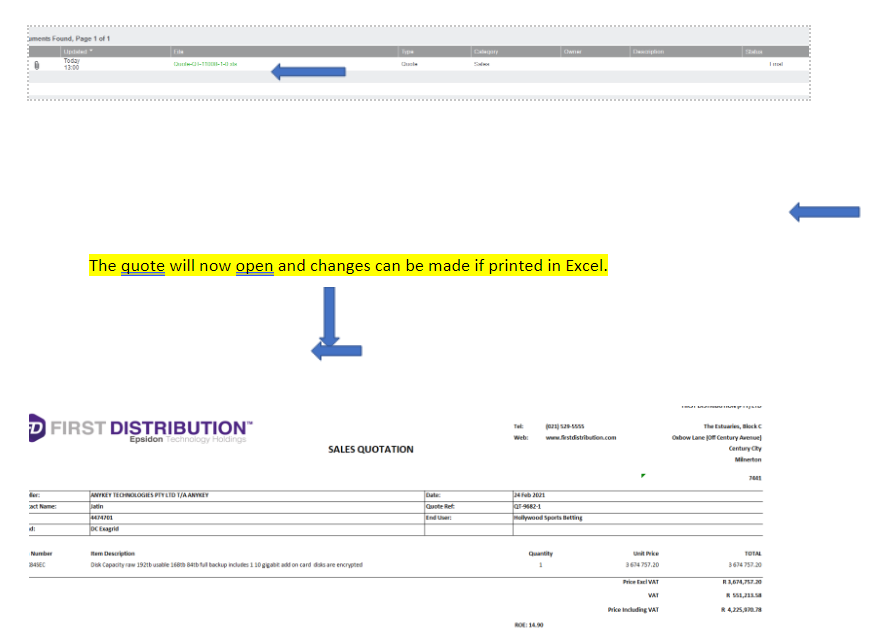
-Click on Quote and View attachment
Select the “OPEN WITH” function as this will open the quote so checks can be administered!
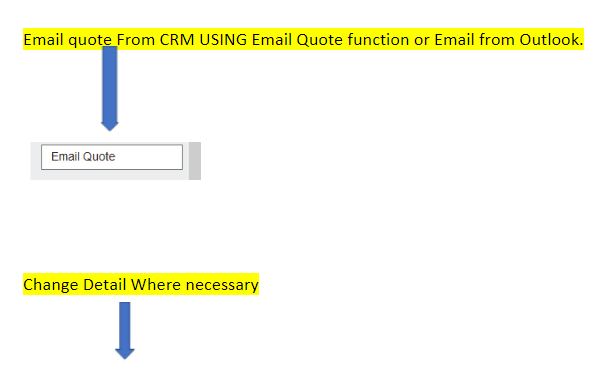
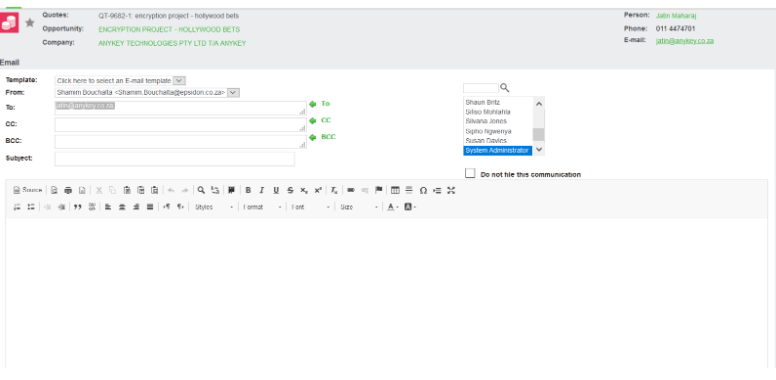
If/After we receive a PO.
Step 1 – The AM/BM must forecast the Opp.
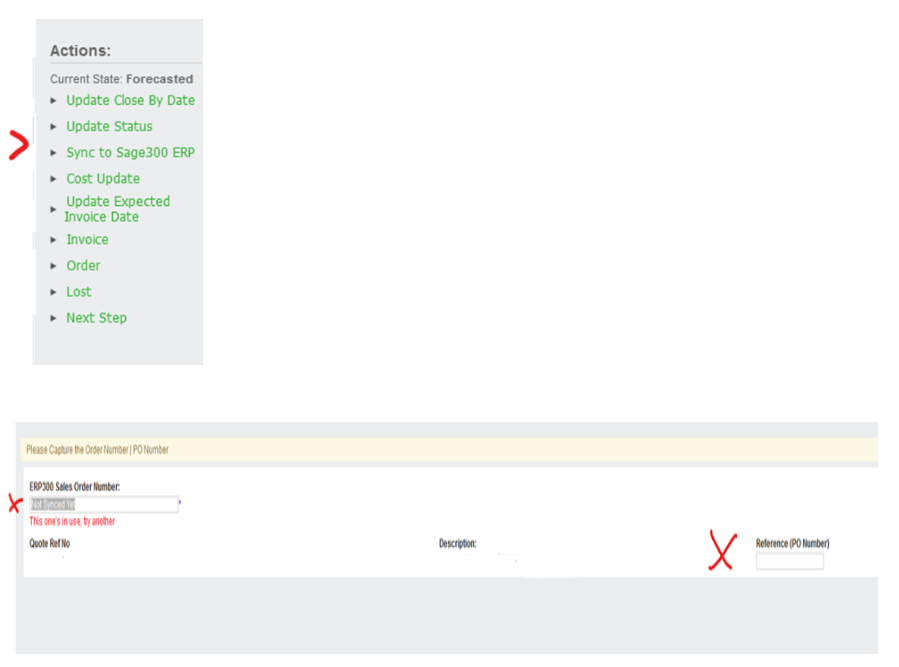
Step 2 – We go back to Quote and Sync to Sage 300 ERP and add Sales Order Number and PO number if not already there
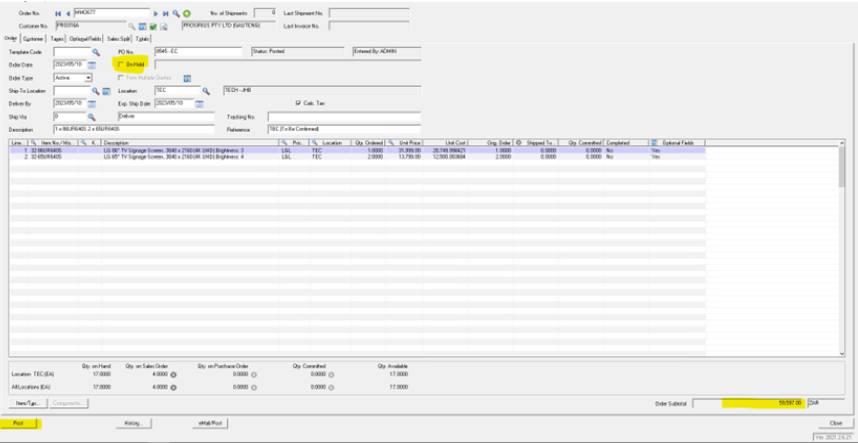
Step 3 – Open AccPac – enter SO number and tab. If Acc is on hold, send an email to Order Release with any approvals.
Ensure the amounts correspond with CRM & PO.
Then click POST.
Step 4 – Open a new Mail and send the order to Monique Kruger and Cc Exagrid Operations.
The subject line must be: Order Number/SO number – Partner Name/Reseller Name – End User Name
The below table (on image/copy below) must be on the mail and also completed by the Partner/Account Manager.
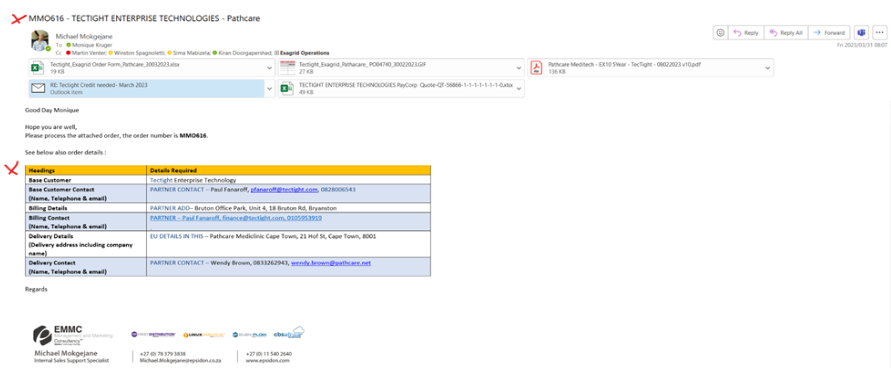
| Headings | Details Required |
| Base Customer | PARTNER – |
| Base Customer Contact
(Name, Telephone & email) |
PARTNER CONTACT – |
| Billing Details | PARTNER ADD– |
| Billing Contact
(Name, Telephone & email) |
PARTNER – IN THIS CASE |
| Delivery Details
(Delivery address including company name) |
EU DETAILS IN THIS – |
| Delivery Contact
(Name, Telephone & email) |
PARTNER CONTACT – |