Engenius Sales Process
- Sales will follow the sales workflow by validating (25%), qualifying (50%), and forecasting (75%) the deal.
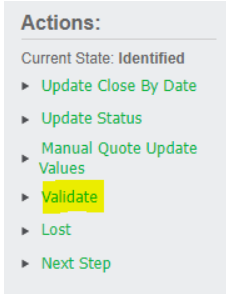
- Make sure to tick all boxes and add a note(will not save without one):

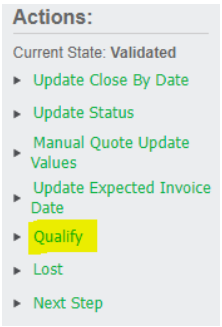
- Make sure to tick all boxes and add a note(will not save without one):
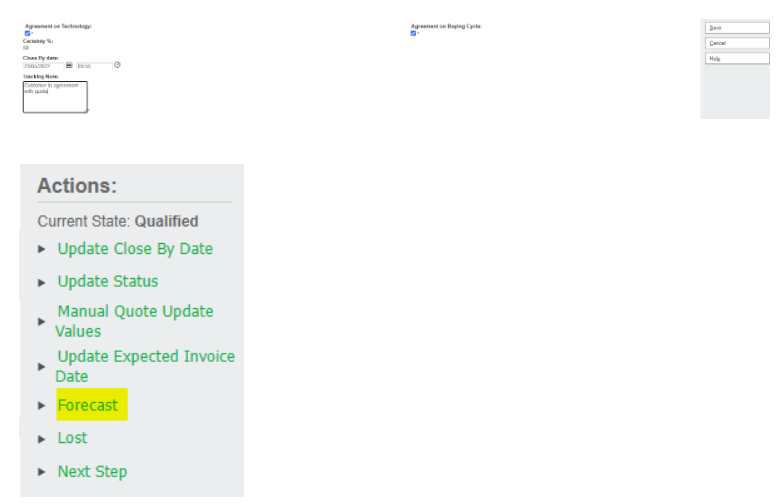
- Make sure to tick all boxes and add a note(will not save without one):

- Sync to Sage300 ERP:
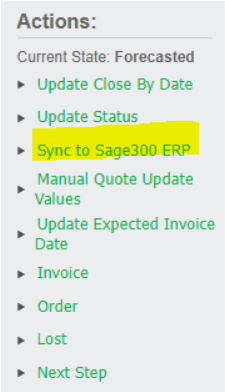
- Sales order number you may use your initials followed by the quote number, PO number always use the PO number the customer provides

- At this point, the Quote is successfully synced from CRM into Accpac as an Order
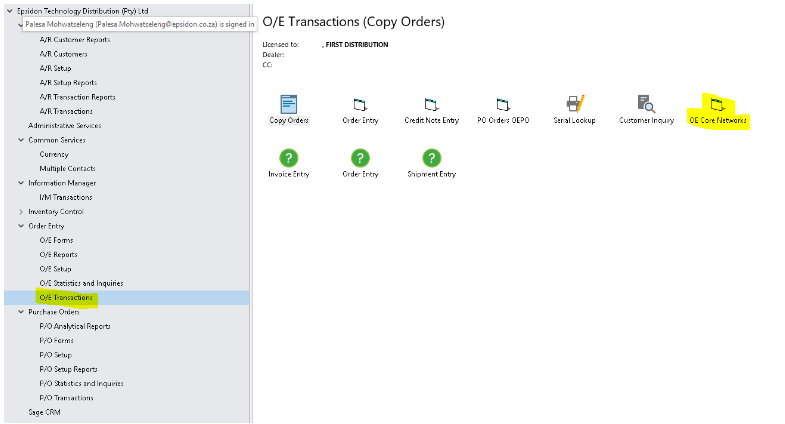
- Once synced to Sage300, go on AccPac, O/E Transactions, OE Core Networks (Centurion stock)
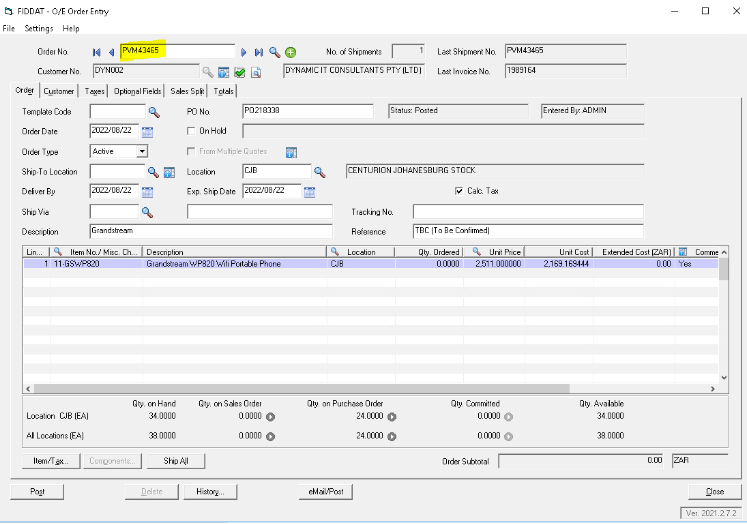
- Search by Order number (Initials followed by quote number) to go onto the order:
- Add a comment (whether it will be collected or delivered)
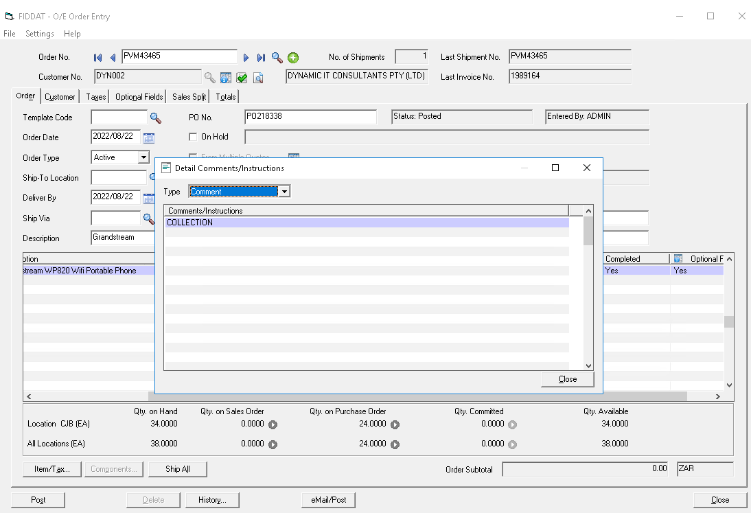
- Click and close then on Post and yes
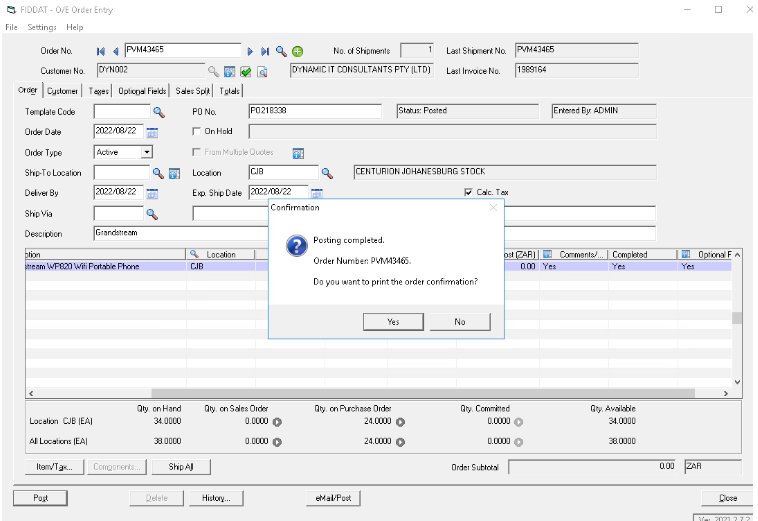
- Print your SO:
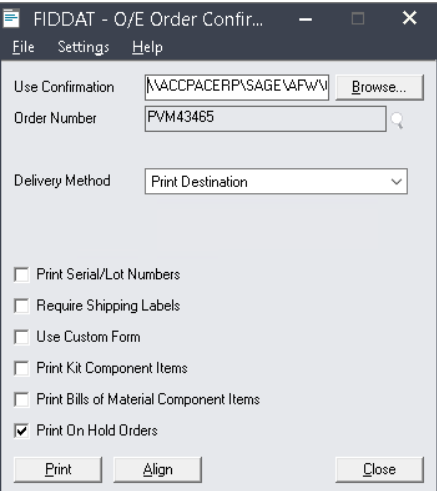
- It will be saved onto the Accpac files.
- Placing an order:
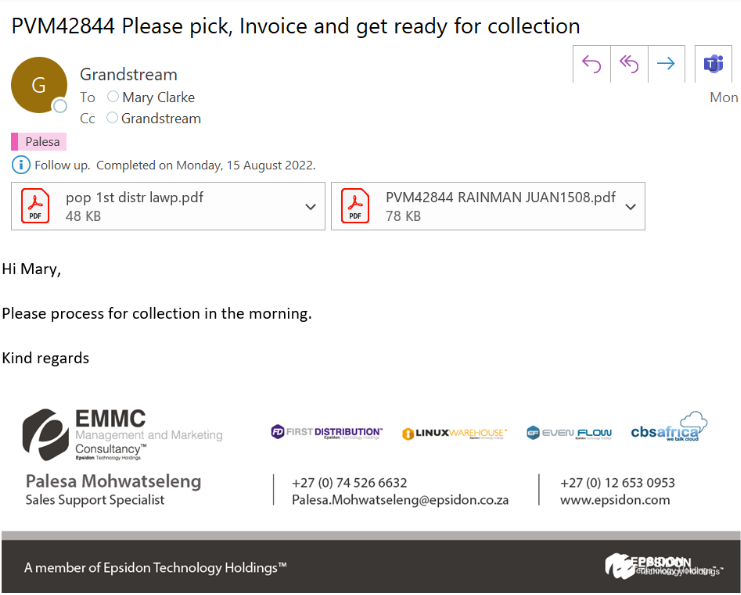
What you need to send for processing:
- The Sales Order
- The customer’s purchase order
- Proof of payment for COD customers.
- All extra instructions must be clearly stated in the body of the mail.
- Send the order to Mary Clarke and/or Monike Vermaak.