
From your Mailbox (ISG OR CSG) :
- To forward an email, please ensure that it contains either a PDF or HTML attachment. We kindly request that no other types of attachments are included, as the bot is only programmed to recognize these two formats. The email should be sent to DBSA.DigitalWorker6@digiblu.com and cc’d to fayaad.abrahams@digiblu.com, as well as your respective mailbox (CSG or ISG).
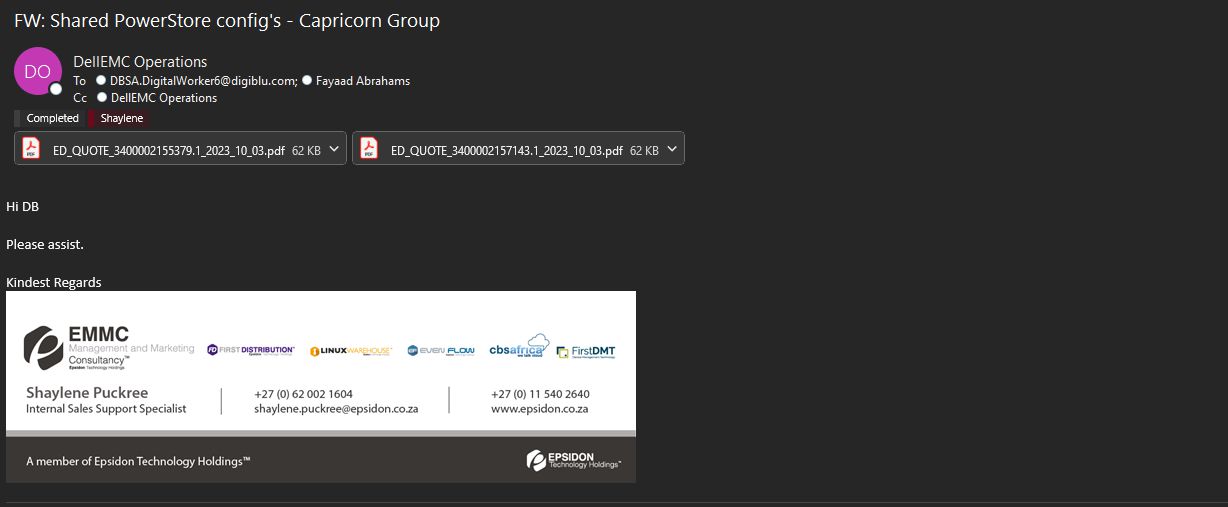
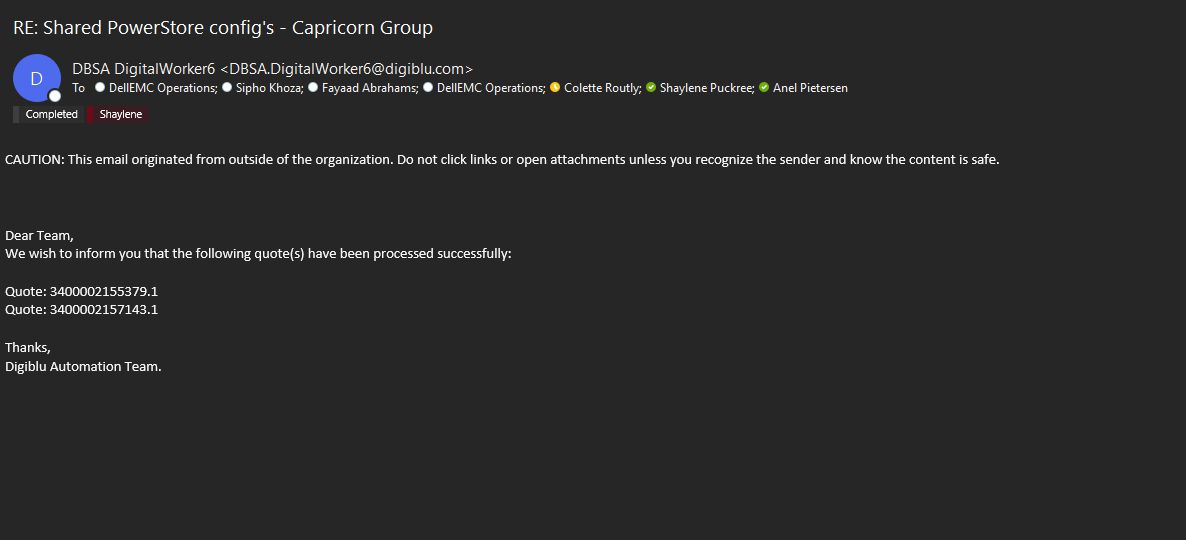
After you send the email, DBSA will promptly send an automated response to your inbox within a matter of minutes.
Please verify that the automated email displays the same Dell Quote number/s as the one/s you have requested.
Upon receiving this email with the accurate quote numbers, kindly locate the IMPORT and BOM sheet in the Digiblu folder on the shared drive.

- Open the IMPORT and BOM Sheet.
- Ensure that all data from the Dell quote has been accurately extracted in the BOM and IMPORT sheet. This should encompass all the accurate Sku’s, descriptions, and quantities on the BOM.
- The BOM sheet will automatically highlight all the value line items in grey. These are the lines that should be displayed on your IMPORT sheet.
- The IMPORT sheet should only contain your value Line Items, not the entire build.
Add the freight line item to the IMPORT sheet with its corresponding price. However, do not include the price for the freight line item on the BOM sheet.
The IMPORT sheet should be structured as follows:

The BOM sheet should be structured as follows:


- Save the Sheets in the folder of the corresponding partner on the present day.
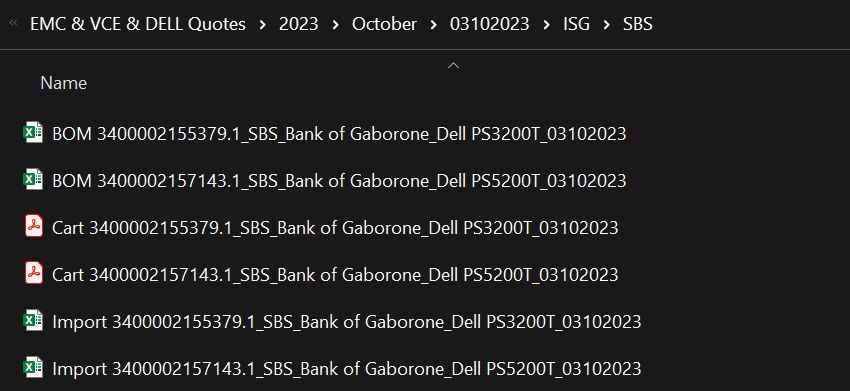
1. *IMPORTANT* – Please delete the IMPORT and BOM sheets from the Digiblu folder after saving them in the partner’s folder.
2. Proceed with CRM quoting as normal.
3. Should the BOT not work for any reason within 30 mins of you sending the request, please reach out to the following people:
➢ Shaylene Puckree – shaylene.puckree@epsidon.co.za – (062 002 1604)
➢ Fayaad Abrahams – fayaad.abrahams@digiblu.com – (063 712 1904)